6
3. Troubleshooting Guide
If you require further information please contact Product Support at 1-800-880-6788 or write
us at: Kidde Canada Inc., P.O. Box 40, Apsley, ON K0L 1A0. Our internet address is www.
kiddecanada.com.
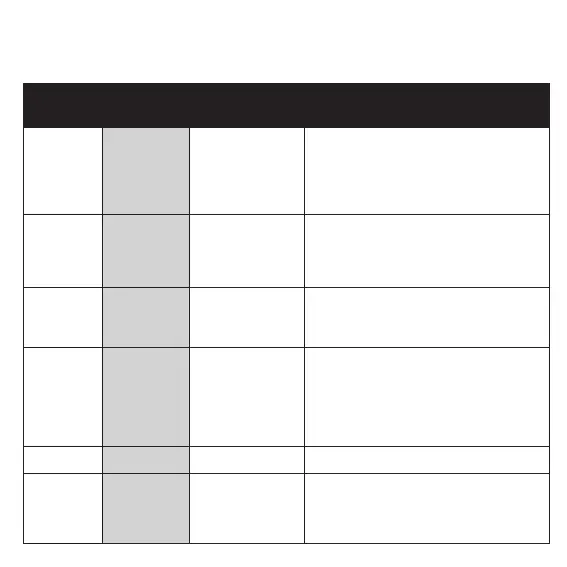
Trouble
Condition
Visual
Indications
Audible Indica-
tions
Action
Low
Battery
Red LED
blinks every
60 sec
Chirp every 60 sec * Push button once to silence for 24 hrs.
(Push button again to clear Hush
TM
and
perform a test.)
* Replace batteries as soon as possible.
Note: 7 days after Low Battery begins,
the chirps cannot be silenced.
Smoke
Sensor
Fault
Red LED
blinks every
60 sec
3 chirps every 60
sec.
* See Cleaning Your Alarm section.
* Push button once to attempt to reset
the unit.
* If error continues, remove, dispose unit,
and replace as soon as possible.
Fatal Fault
Red LED
blinks 3 times
every 60 sec
3 chirps every 60
sec.
* Push button once to attempt to reset
the unit.
* If error continues, remove, dispose unit,
and replace as soon as possible.
End of Unit
Life
Red LED
blinks twice
every 60 sec
2 chirps every
60 sec.
* Push button once to silence for 24 hrs.
(Push button again to clear Hush
TM
.)
Note: 7 days after End of Unit Life begins,
the chirps cannot be silenced. Replace
immediately!
* Remove, dispose unit, and replace as
soon as possible.
MCU Failure None Constant Tone * Replace alarm as soon as possible.
Stuck
Button
Red LED
blinks
4 times every
60 sec.
3 chirps every
60 sec
* Push button to dislodge it from being
stuck. If button cannot be unstuck,
remove, dispose unit, and replace
as soon as possible.



 To Next Page