
EasyManua.ls Logo

Kidde RemoteLync - User Manual

Kidde RemoteLync
16 pages
Print Icon
To Next Page IconTo Next Page
Loading...
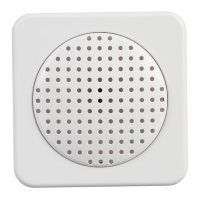
Acoustic Monitor
P/N 4001-7203-00-EN
ATTENTION: Please take a few minutes to thoroughly read
this User guide which should be saved for future reference
and passed on to any subsequent owner.
RemoteLync
User Guide
10-year limited warranty
ITE
E467181
FCC ID:SAK40018999
IC:7145A-4001
• 120 V AC
3 Color LED Indicator
• Voice Message System

Questions and Answers

  • G
    goodwinjeremyJul 26, 2025
    What to do if Kidde Speakers voice says “alarm not heard”?
    • G
      Gregory WalkerJul 26, 2025
      If the Kidde Speakers voice says 'alarm not heard', it could be due to the monitor's location or testing outside the two-minute window. Try testing the alarms within two minutes of each other, or relocate the monitor to a better location.
  • G
    Gilbert NixonJul 30, 2025
    What to do if Kidde RemoteLync Speakers voice “Test alarm furthest from device” continues to repeat?
    • E
      Edwin SteeleJul 31, 2025
      If the Kidde Speakers voice keeps repeating 'Test alarm furthest from device', it means the monitor wasn't properly set up with your alarms. Test the alarm that's furthest from the monitor. If it's still not detecting, consider moving the monitor to a new location.
  • R
    Raymond ValentineAug 4, 2025
    What to do if my Kidde RemoteLync Speakers green LED is not on after setup?
    • N
      Nathaniel BeardAug 4, 2025
      If the green LED on your Kidde Speakers isn't on after setup, it might be due to a poor connection in the AC outlet or a lack of AC power. Check the AC power connection and try another outlet. You can also push the test button.
  • R
    Rachel MartinezAug 8, 2025
    What to do if Kidde RemoteLync says “self-test failed”?
    • L
      Lynn JenkinsAug 8, 2025
      If your Kidde Speakers says 'self-test failed', it indicates a monitor failure. Try resetting the monitor. If that doesn't work, return it and replace it with a new one.
  • T
    Tracey GouldAug 12, 2025
    What to do if Kidde RemoteLync Speakers has green LED on, but no voices are heard?
    • A
      alexa16Aug 12, 2025
      If the green LED is on but you're not hearing any voices from your Kidde Speakers, it suggests a speaker or monitor failure. Return the monitor and replace it with a new one.
  • K
    Kathleen HaleyAug 17, 2025
    Why Kidde Speakers green LED not on, red or yellow colors visible?
    • J
      Jason LewisAug 17, 2025
      If the green LED is not on and you see red or yellow colors on your Kidde Speakers, it means the setup process wasn't completed correctly, or the system is in fault mode. Redo the setup process from the app menu.
  • K
    Katie MooreAug 21, 2025
    What to do if no voice “Test successful” after pushing test button on Kidde RemoteLync Speakers?
    • J
      Jake StoneAug 21, 2025
      If you don't hear 'Test successful' after pushing the test button on your Kidde Speakers monitor, it could be due to the monitor's location or missing the two-minute window. Test the alarms within two minutes of each other, or try moving the monitor to a better location.

Summary

Introduction to RemoteLync Monitor

Operating Instructions

Device Views and Features

Identifies the device's physical components and lists its key operational features.

Location Guide

Provides guidance on optimal placement of the monitor and lists locations to avoid.

Setup Guide

Step-by-step instructions for app installation, account creation, and Wi-Fi connection.

Testing the Monitor After Enrollment

Instructions on how to test the monitor's functionality after setup and enrolling alarms.

RemoteLync LED Indicator Operation

Details the meaning of different LED light patterns and their corresponding operational modes.

App Operation Table

Summarizes app functions and the expected actions for each mode or operation.

RemoteLync App Expectations

Describes the expected behavior and feedback from the mobile app during setup and operation.

Maintenance Information

Reset Function

Explains how to reset the monitor to factory settings and restart the setup process.

Routine Maintenance Procedures

Outlines recommended weekly testing and monthly cleaning procedures for optimal performance.

FCC Compliance Statement

Limited Warranty

Kidde RemoteLync Specifications

General IconGeneral
BrandKidde
ModelRemoteLync
CategorySpeakers
LanguageEnglish