5-24 Application Operation PLZ-U
Inter-frame control
By connecting multiple frames, you can turn the load on/off, recall ABC preset
memories or setup memories on other frames from a single frame.
When using external frame control, FRAME CONT connector 1 (input signal of
Table 5-4) of the first frame is used. When operating from the panel, use the first
frame.
Up to 5 frames can be linked.
■ Connection procedure
1. Check that the power is turned off.
Check that the power to all frames is turned off.
If the power is turned on, press the POWER switch to turn off the power.
2.
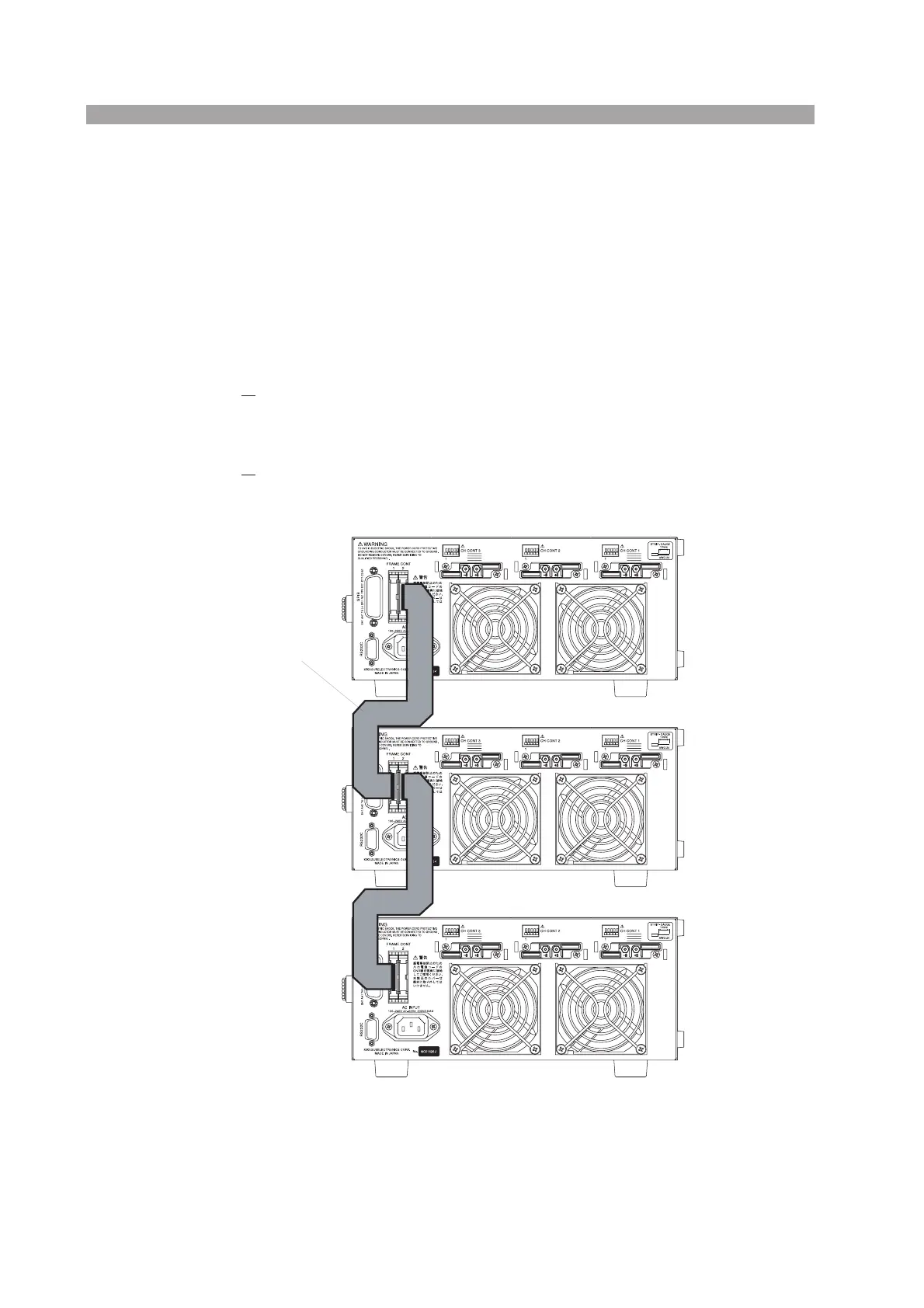
Connect the FRAME CONT connector of each frame.
Refer to Fig. 5-15 and securely connect the FRAME CONT connectors.
Fig. 5-15 Frame connection
Flat cable
1st unit
2nd unit
3rd unit
2
1
1
2


 To Next Page