PXB series User’s Manual 71
Advanced Functions
Sine Function
The sine function varies the current sinusoidally. It is suitable for superposed ripple testing of large capac-
ity power supplies and batteries. Setti
ngs cannot be performed while a sequence is running.
Setting the sine waveform
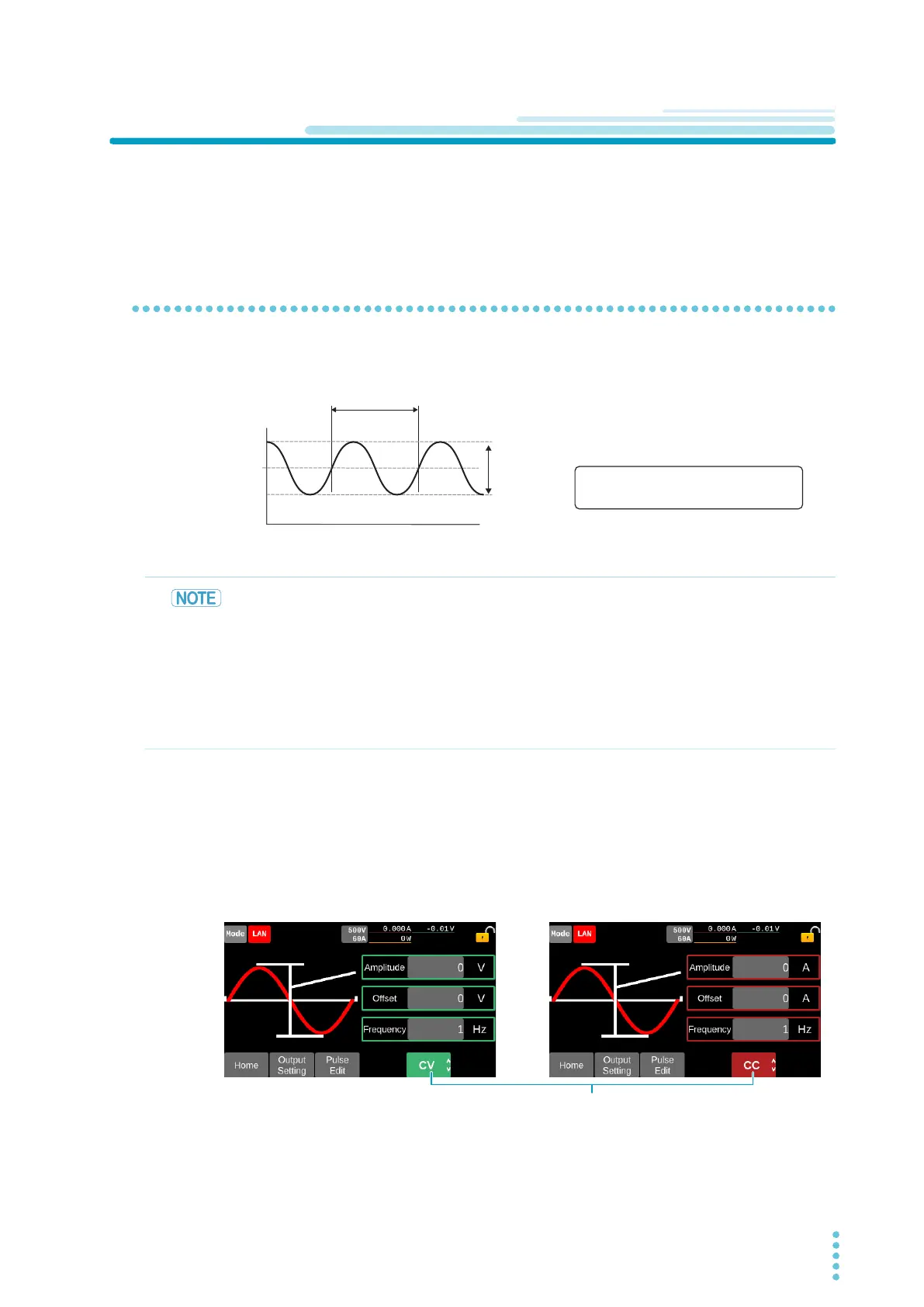
Sets sine waveforms with amplitude (peak-to-peak value), waveform correction value, and frequency. Set-
tings are performed in CV mode and CC mode, respectively.
1
Press Output Setting on the homepage.
2
Swipe to the left, or press the → key and press Sine.
The setup screen for sine waveforms is displayed.
3
Press the input fields for Amplitude, Offset and Frequency to input the values with
the display or rotary knob, respectively.
Pressing Pulse Edit switches to the setup screen for pulse waveforms (p. 69).
This completes the setting.
To enable the sine function, set the output mode of the CV
/CC
mode to SINE (p. 72).
Offset [V], [A]
Amplitude: peak-to-peak value
Offset: Center value of the amplitude
Amplitude
[
V
], [
A
]
• The amplitude of the waveform may be smaller than the value depending on the DUT to be
connected.
• When enabling to operate the current positively or negatively in the CC mode, set the volt-
age set value of the PXB ser
ies higher than the voltage of the DUT.
• PXB series measured value is an average value. Maximum value, minimum value, and
rms
value cannot be measured.
• Due to the PXB ser
ies output gain characteristics, the output is diminished when setting
frequency to 100 Hz or more.
Operation mode to be displayed can be switched.


 To Next Page