TOS93 Series User’s Manual 143
Touch Current Test | Setting Test Conditions
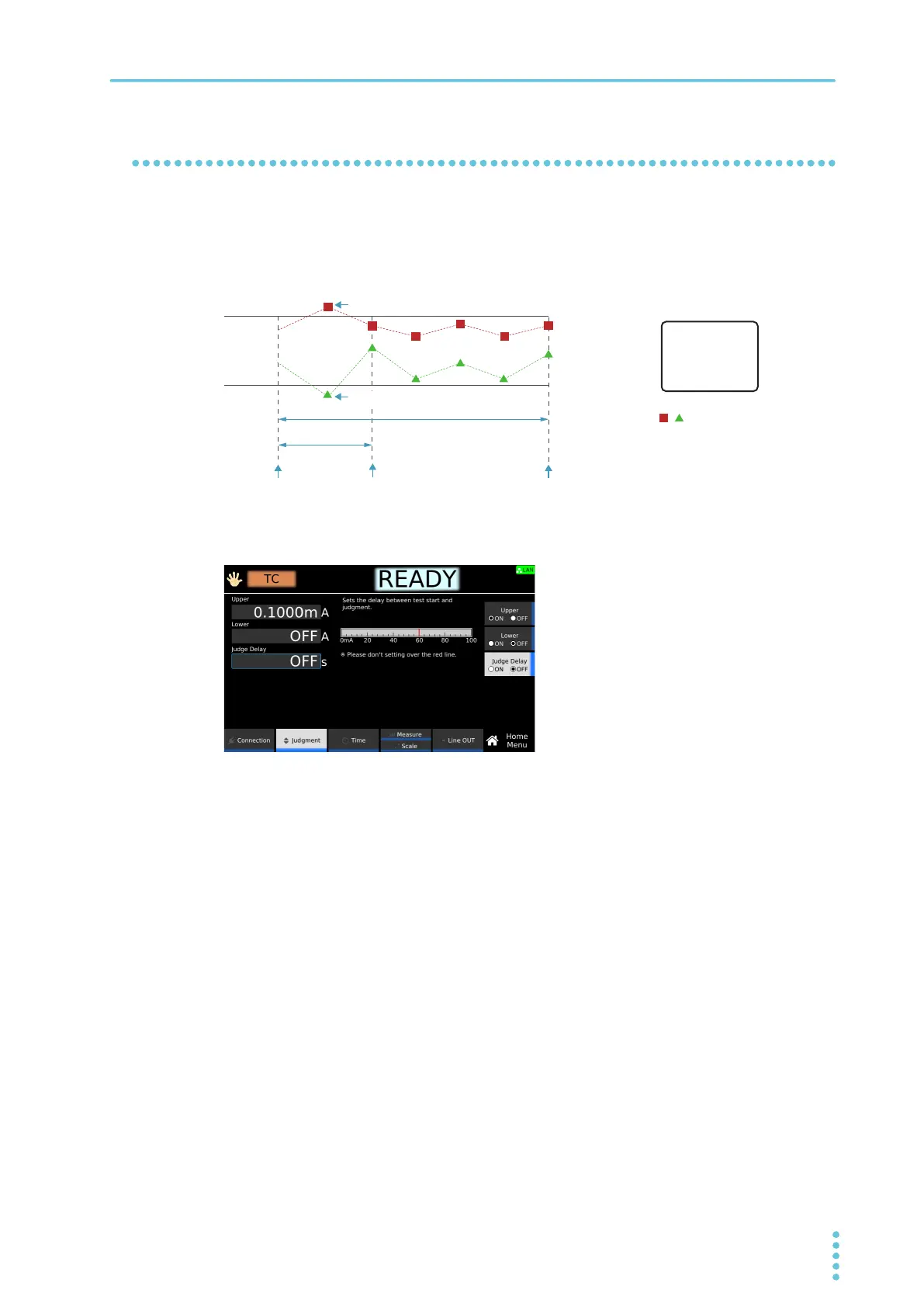
Judgment delay (Judge Delay)
If you set the time from when the START switch is pressed to when judgment starts (judgment delay)
longer than the startup time of the EUT, evaluation can be made on measurements in the steady-state
condition of the EUT. Measurements made during Judge Delay are ignored and do not affect judgments. If
you do not want to set the judgment delay, set Judge Delay to off.
1
On the Home menu screen, press Judgment > Judge Delay.
2
Press Judge Delay to switch between on and off.
Judge Delay switches between on and off each time you press the key.
3
If you select on, use the numeric keypad or the rotary knob to enter the time.
Setting range: 1 s to 1 000 s
This completes the setting.
This measurement is ignored.This measurement is ignored.
Judge Delay
Press START.Press START.
PASS judgmentPASS judgment
Upper: ON
Lower: ON
Test Time: ON
Test Time
Judgment begins.Judgment begins.
: Measurement: Measurement
This measurement is ignored.This measurement is ignored.



 To Next Page