190 User’s Manual TOS93 Series
Patient Leakage Current Test | Setting Test Conditions
Voltmeter band expansion (VoltMeter BandWidth)
Sets whether to expand the band of the internal voltmeter of this product. An icon appears during testing
according to the setting.
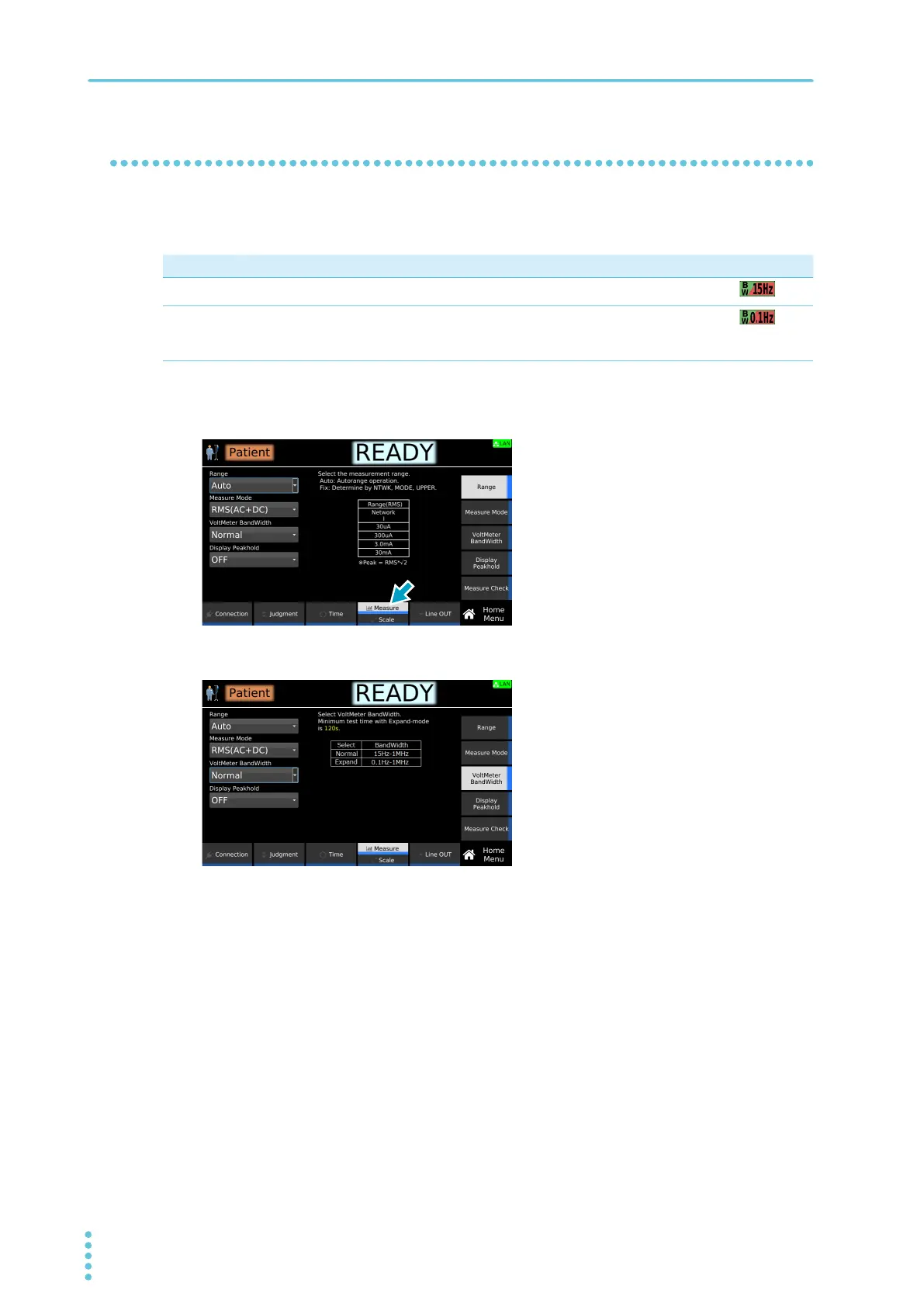
1
On the Home menu screen, press Measure repeatedly until Measure is selected.
Each time you press the key, the setting changes between Measure and Scale.
2
Press VoltMeter BandWidth, and then turn the rotary knob to change the value.
This completes the setting.
Value Description Icon
Normal Uses the normal band (15 Hz to 1 MHz).
Expand The expanded bandwidth (0.1 Hz to 1 MHz) is used as required by IEC 60601. To
accurately measure low frequency components, set the test time to at least 120
seconds.



 To Next Page