Spectra Essential EN 5/12
EXT FLEX
30 STOP 15 70
Electrical connection: safety first.
2 versions of electrical protection are available for the device KINETEC
®
Spectra
Essential machine. The identification label shows which version a machine is
equipped with:
Type BF, Class II devices,
for home use, bear the following symbols:
Type B, Class I devices,
for use in a professional environment, bear the following symbols:
See page 10 for the meaning of the symbols.
Before connecting the device to the power supply, check that the
mains voltage matches that shown on the identification plate (100-240V~ 50/60Hz).
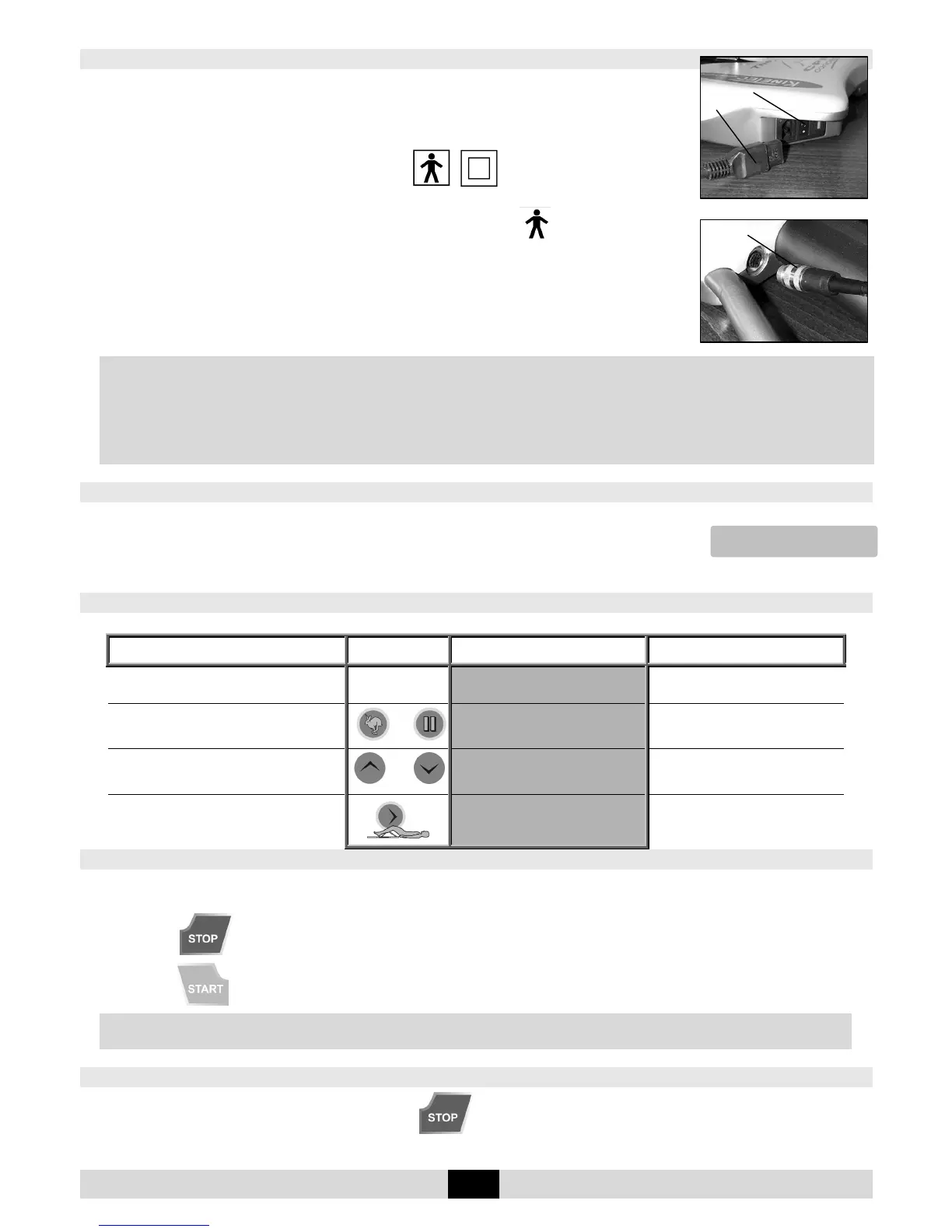
Connect the hand control (4).
Connect the power supply cable (18).
IMPORTANT
For Type B Class I devices, and to avoid all risks of electric shock, the machine should only be connected to
a power supply that has protective earthing.
To connect the power supply, only use the original cable supplied with the machine.
Check that the cables remain free around the device so that they do not get damaged.
Check that the machine is not damaged, in particular the protective housings.
Procedure to start the machine
Press the ON / OFF switch (9).
The display comes on, the machine carries out a self-test, and then the display shows:
Your device KINETEC
®
Spectra Essential is ready to be used.
Changing the display language
Beginning
Keys to
press
Display Remarks
Switch the unit ON
KINETEC
40 STOP 50 110
Check if the hand control is not
locked (See page 6).
Press simultaneously on the 2 keys
and
LANGUAGE
ENGLISH
The display indicates the language
selected.
To change the language
Or
LANGUAGE
FRENCH
The French language is selected.
Available languages: English, French,
German, Italian and Spanish.
To confirm the new language
OK
SWITCH ON/OFF
Switch the machine off
and then on again
to apply the changed
display language.
START / STOP / REVERSE function
As with all KINETEC systems, KINETEC
®
Spectra Essential machines are equipped with a
START/STOP/REVERSE function.
Press the key of the hand control. The movement stops,
Press the key of the hand control. The movement starts in the opposite direction.
CAUTION
For optimum safety, always give the hand control to the patient before starting the system.
Procedure to stop the machine:
To stop the machine's movement: press the key
To switch the unit off: press the ON / OFF switch (9) (see page 5)
4
18
9


 To Next Page