Spectra Essential EN 6/12
Locking the hand control setting
The hand control allows the patient to control the machine as appropriate.
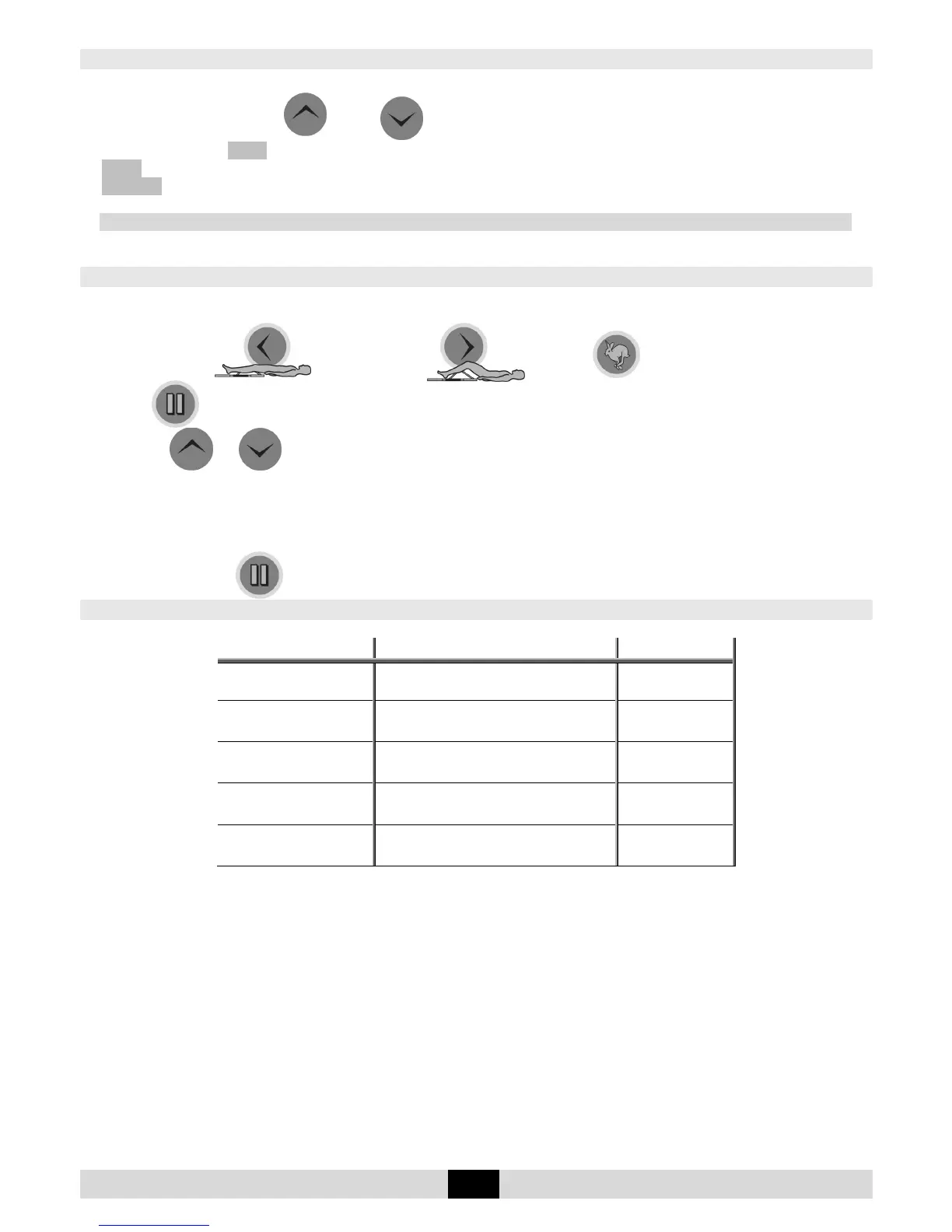
Simultaneously press the and keys to lock the hand control,
The display reads LOCK, you cannot change the parameters; if you try the message
LOCK appears. To unlock the hand control, simultaneously press the same keys. The display will show
UNLOCK.
We recommend that you lock the hand control when you give it to the patient.
Note: the hand control locking is preserved when you switch the unit ON/OFF.
Setting the movement parameters
Select the parameter to be set:
Extension limit or flexion limit or speed or
pause at the extension or flexion limit; the setting to change will flash.
Press the or buttons to modify the setting; the new setting will flash.
To confirm the new setting, press another function button or wait approximately 5 seconds for automatic
confirmation.
Movement parameters can be set either when the machine is stopped or when it is in operation.
Note: pressing the button repeatedly allows you to select pausing at the extension or flexion limit.
Possible values for each parameter:
Possible values Default setting
• Extension limit -10 to 115° 30°
• Flexion limit -5° to 120° 70°
• Speed
1 to 5 (from 45° to 155° per
minute)
2
• Extension pause 0 to 900 seconds (15 minutes) 0
• Flexion pause 0 to 900 seconds (15 minutes) 0


 To Next Page