www.kinetico.co.uk
13
Commissioning instructions
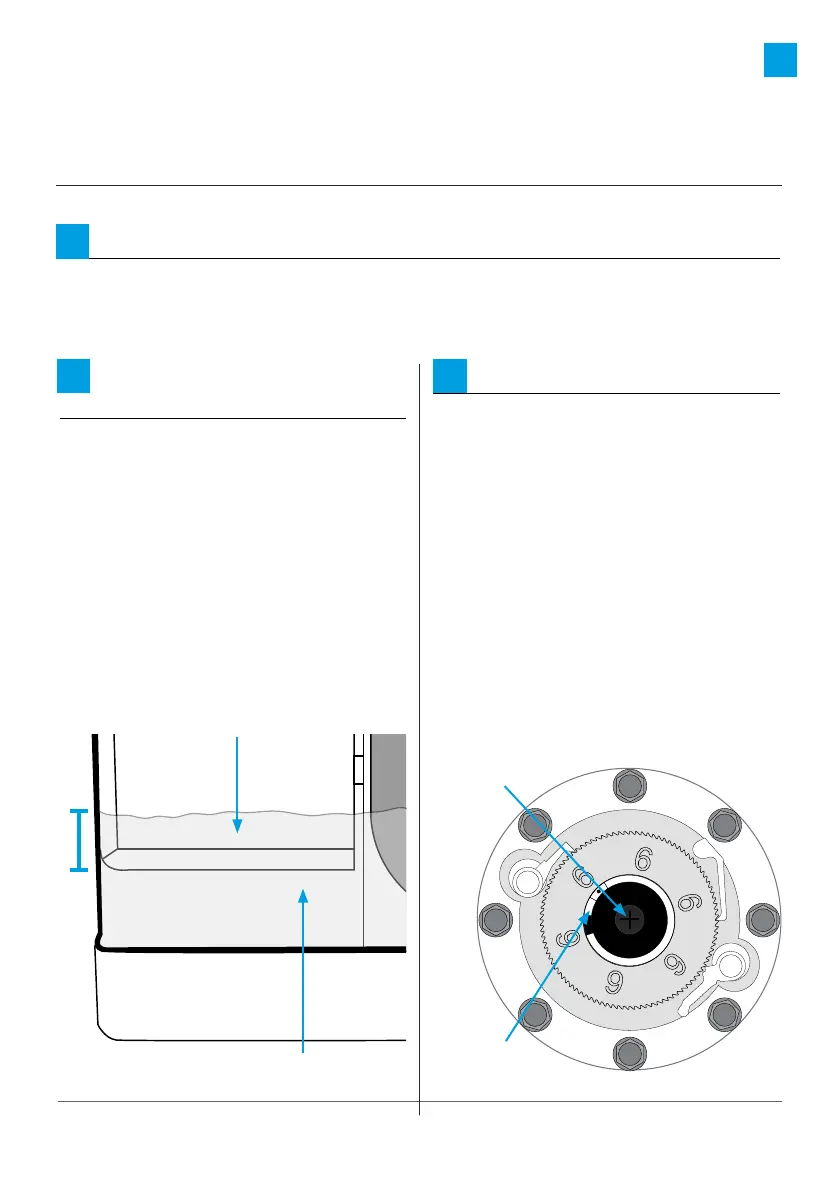
Initiate a backwash:
a: Using a Phillips head screwdriver
push down on the actuator, and
slowly turn CLOCKWISE until the
indicator dot reaches the letter
W in the word “BACKWASH” on
the clear cap.
b: You will hear a rush of water and
air going to the drain.
c: When the cycle has finished
(approx 4 mins), repeat the
procedure, turn the indicator dot
to the next backwash cycle and
allow to finish (approx 4 mins).
3
Pressurise:
With the water to the property restored, slowly open the inlet valve and allow
the softener and pipework to pressurise. Water may run to drain until the unit is
fully pressurised.
1
Fill the brine tank
with water:
Allow the brine tank to fill with
water until the brine valve shuts o.
The water level should be
approximately 25mm over the
grid plate.
TIP:
If the cabinet does not fill
with water please refer to the
“Useful Information” section
(page 16).
2
|
B
R
I
N
E
*
R
I
N
S
E
|
B
A
C
K
W
A
S
H
|
|
B
R
I
N
E
*
R
I
N
S
E
|
B
A
C
K
W
A
S
H
|
Actuator
Indicator
25mm
Water level
Grid plate





 To Next Page