Page 17
DIRECTV ANTENNA CONFIGURATION
Single Satellite 101
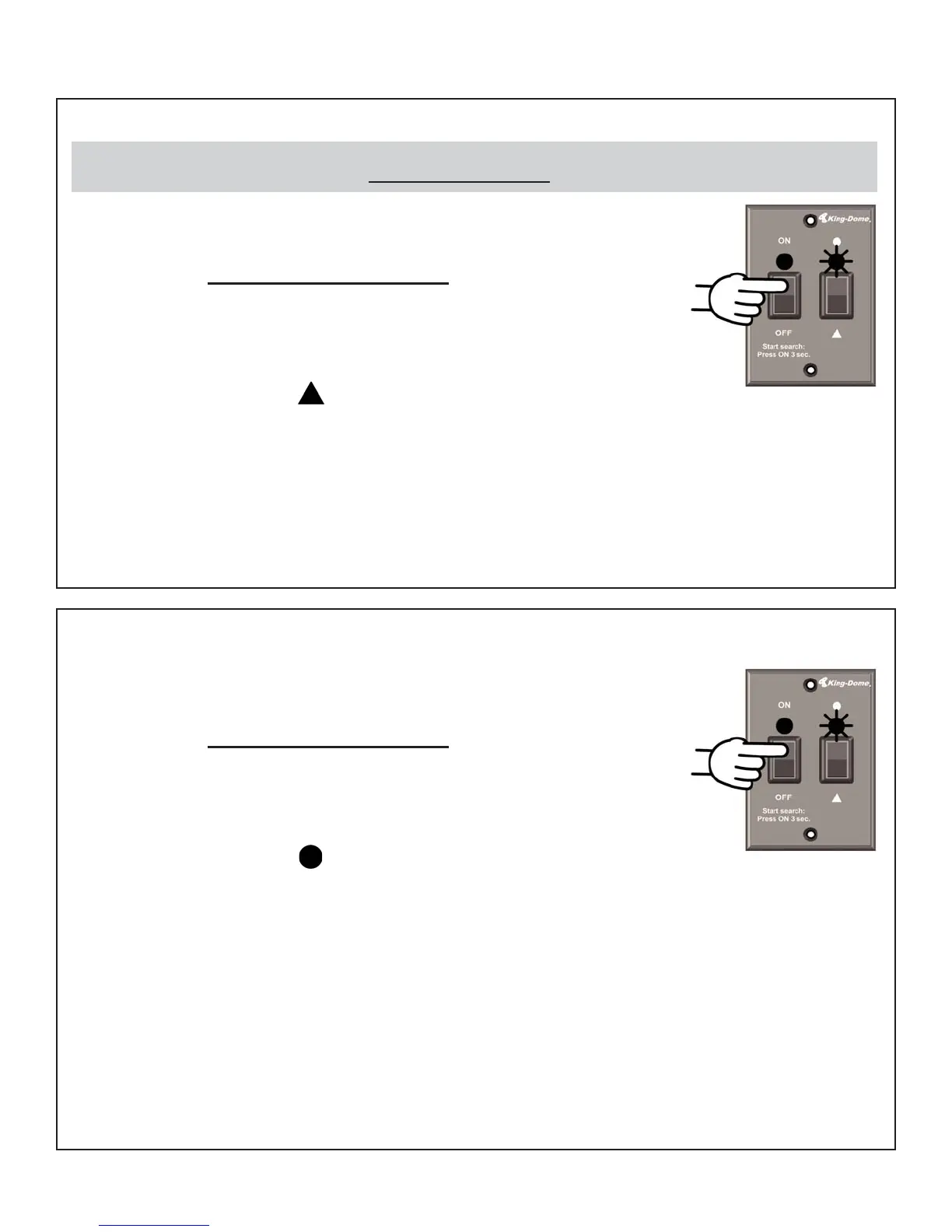
1. On the King-Dome controller, press and release the
ON button. Wait for the status light to flash orange,
and then W
AIT 4 MORE SECONDS.
2. Press and release the ON button 16 times.
The status light starts rapidly flashing green and red.
3. Press and hold the button for 4 seconds.
The status light will turn orange for 1 second,
and then start flashing green or red.
4. Press OFF.
5. Set your receiver for round dish-1 satellite (do this through the receiver’s satellite
set-up menu screens). Configuration is complete. Go to page 30.
DIRECTV Plus (satellites 101, 119)
1. On the King-Dome controller, press and release the
ON button. Wait for the status light to flash orange,
and then WAIT 4 MORE SECONDS.
2. Press and release the ON button 8 times.
The status light starts rapidly flashing green and red.
3. Press and hold the button for 4 seconds.
The status light will turn orange for 1 second,
and then start flashing green or red.
4. Press OFF.
5. Set your receiver for oval dish-2 satellites (do this through the receiver’s satellite
set-up menu screens).
If you have an H23 receiver, choose the following dish configuration settings.
Dish Type: 02: 3-LNB (18”x20”), Switch Type: 02:Multiswitch.
Configuration is complete. Go to page 30.
The King-Dome is factory pre-set for the DIRECTV 101 satellite. Unless the antenna has been configured for
another option since leaving the factory, PERFORM STEP
5 ONLY
.


 To Next Page