Code Reader Controls
CONTROLS AND INDICATORS
5. DOWN button - When in MENU mode, scrolls DOWN through the
menu and submenu selection options. When retrieving and viewing DTCs,
scrolls down through the current display screen to display any additional data.
6. UP button - When in MENU mode, scrolls UP through the menu and
submenu selection options. When retrieving and viewing DTCs, scrolls ups
through the current display screen to display any additional data.
7. GREEN LED - Indicates that all engine systems are running normally (all
Monitors on the vehicle are active and performing their diagnostic testing, and
no DTCs are present).
8. YELLOW LED - Indicates there is a possible problem. A “Pending” DTC is
present and/or some of the vehicle’s emission monitors have not run their
diagnostic testing.
9. RED LED - Indicates there is a problem in one or more of the vehicle’s
systems. The red LED is also used to show that DTC(s) are present. DTCs are
shown on the CanScan’s LCD display. In this case, the Multifunction Indicator
(“Check Engine”) lamp on the vehicle’s instrument panel will light steady on.
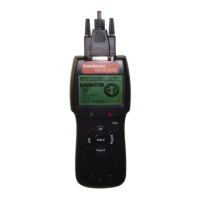
10. LCD Display - Displays settings Menu and submenus, test results,
CanScan functions. See DISPLAY FUNCTIONS, on next page, for more
details.
11. CABLE - Connects the CanScan to the vehicle’s Data Link Connector
(DLC).
D900 CanScan 10


 To Next Page