Using the Code Reader
ERASING DIAGNOSTIC TROUBLE CODES (DTCs)
ERASING DIAGNOSTIC TROUBLE CODES (DTCs)
When the CanScan’s ERASE function is used to erase DTCs
from the vehicle's on-board computer, manufacturer- specific
enhanced data are also erased.
If you plan to take the vehicle to a Service Center
for repair, DO NOT erase the codes from the
vehicle's computer. If the codes are erased,
valuable information that might help the
technician troubleshoot the problem will also be
erased.
Erase DTCs from the computer's memory as follows:
When DTCs are erased from the
vehicle's computer memory, the I/M
Readiness Monitor Status program
resets the status of all Monitors to a not
run "flashing" condition. To set all of the
Monitors to a DONE status, an OBD 2
Drive Cycle must be performed. Refer
to your vehicle's service manual for information on how to perform
an OBD 2 Drive Cycle for the vehicle under test.
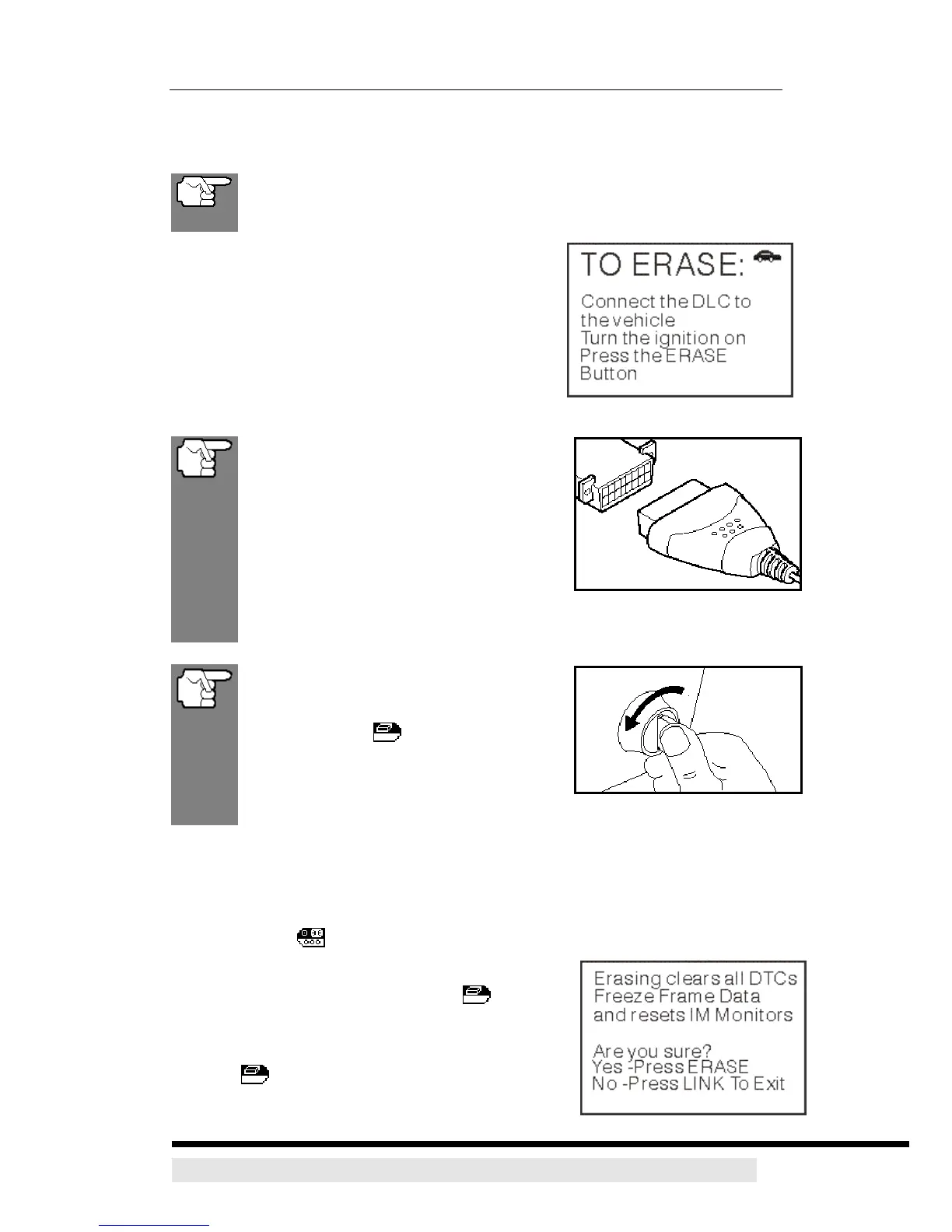
The CanScan must be connected to the
vehicle’s DLC to erase the codes from
the computer’s memory. If you press
the ERASE
button when the
CanScan is not connected to the
vehicle’s DLC, the erase instruction
screen displays.
1. If not connected already, connect the CanScan to the vehicle's DLC, and
turn the ignition "On.” (If the CanScan is already connected and linked to the
vehicle's computer, proceed directly to step 4. If not, continue to step 2.)
2. Turn the ignition on. DO NOT start the engine. Press and release the
POWER/LINK
button to establish communication with the vehicle's
computer.
3. Press and release the ERASE
button. A
confirmation message shows on the LCD display.
- If you are sure you want to proceed press the
ERASE
button again to erase DTCs from the
vehicle’s computer.
D900 CanScan 27


 To Next Page