Using the Code Reader
CODE RETRIEVAL PROCEDURE
Using the CanScan
CODE RETRIEVAL PROCEDURE
D900 CanScan 21
Retrieving and using Diagnostic Trouble Codes (DTCs) for
troubleshooting vehicle operation is only one part of an overall
diagnostic strategy.
Never replace a part based only on the DTC definition. Each DTC has a
set of testing procedures, instructions and flow charts that must be
followed to confirm the location of the problem. This information is
found in the vehicle's service manual. Always refer to the vehicle's
service manual for detailed testing instructions.
Check your vehicle thoroughly before performing any test. See
Preparation for Testing on page 20 for details.
ALWAYS observe safety precautions whenever working on a
vehicle. See Safety Precautions on page 4 for more information.
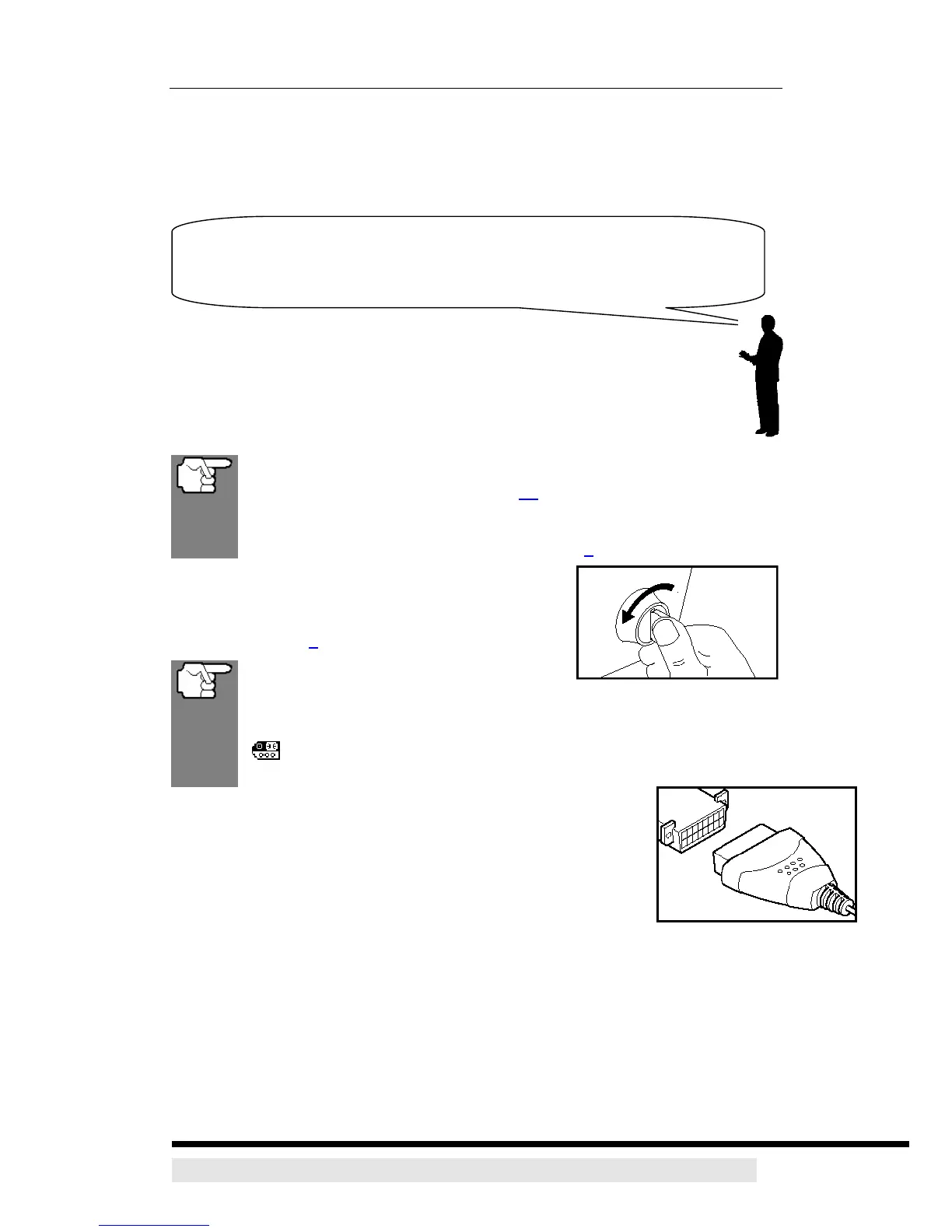
1. Turn the ignition off.
2. Locate the vehicle's 16-pin Data Link Connector
(DLC). See page 6 for connector location.
Some DLCs have a plastic cover that
must be removed before connecting the CanScan cable connector.
If the CanScan is ON, turn it OFF by pressing the POWER/LINK
button BEFORE connecting the CanScan to the DLC.
3. Connect the CanScan cable connector to the vehicle’s
DLC. The cable connector is keyed and will only fit one way.
¾ If you have problems connecting the cable connector to
the DLC, rotate the connector 180° and try again.
¾ If you still have problems, check the DLC on the vehicle
and on the CanScan. Refer to your vehicle’s service manual to properly
check the vehicle’s DLC.


 To Next Page