Page 8
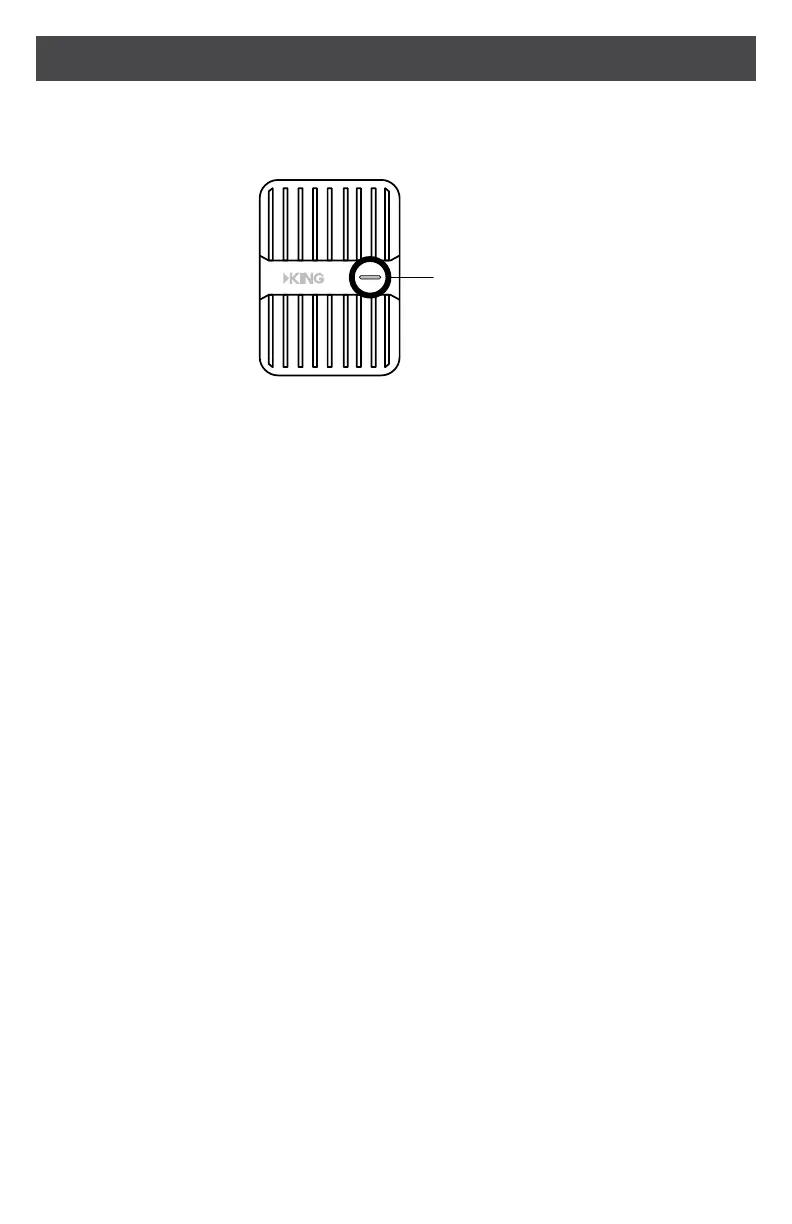
SIGNAL BOOSTER LIGHT
SOLID GREEN
This indicates your booster is functioning properly and there are no issues
with installation.
BLINKING RED, THEN SOLID GREEN
This indicates one or more of the booster bands has reduced power due to
a minor feedback loop condition called oscillation. This is a built-in safety
feature to prevent harmful interference with a nearby cell tower. If you are
already experiencing the desired signal boost, then no further adjustments
are necessary. If you are not experiencing the desired boost in coverage,
then refer to the troubleshooting section on the next page.
SOLID RED
This is due to a major oscillation (feedback) loop. This is a built-in safety
featurethatcausesabandtoshutotopreventharmfulinterferencewitha
nearby cell tower. Refer to the troubleshooting section on the next page.
LIGHT OFF
Ifthesignalboosterlightiso,verifyyourpowersupplyispluggedintoa
known good power source.
After making all connections, the signal booster will automatically power on and
the light will be green.
KC1295
Signal Booster
Light
®
Power Adapter Light
& ON/OFF Switch


 To Next Page