Page 14
SECOND RECEIVER OPERATION
INITIAL SETUP FOR SECOND RECEIVER
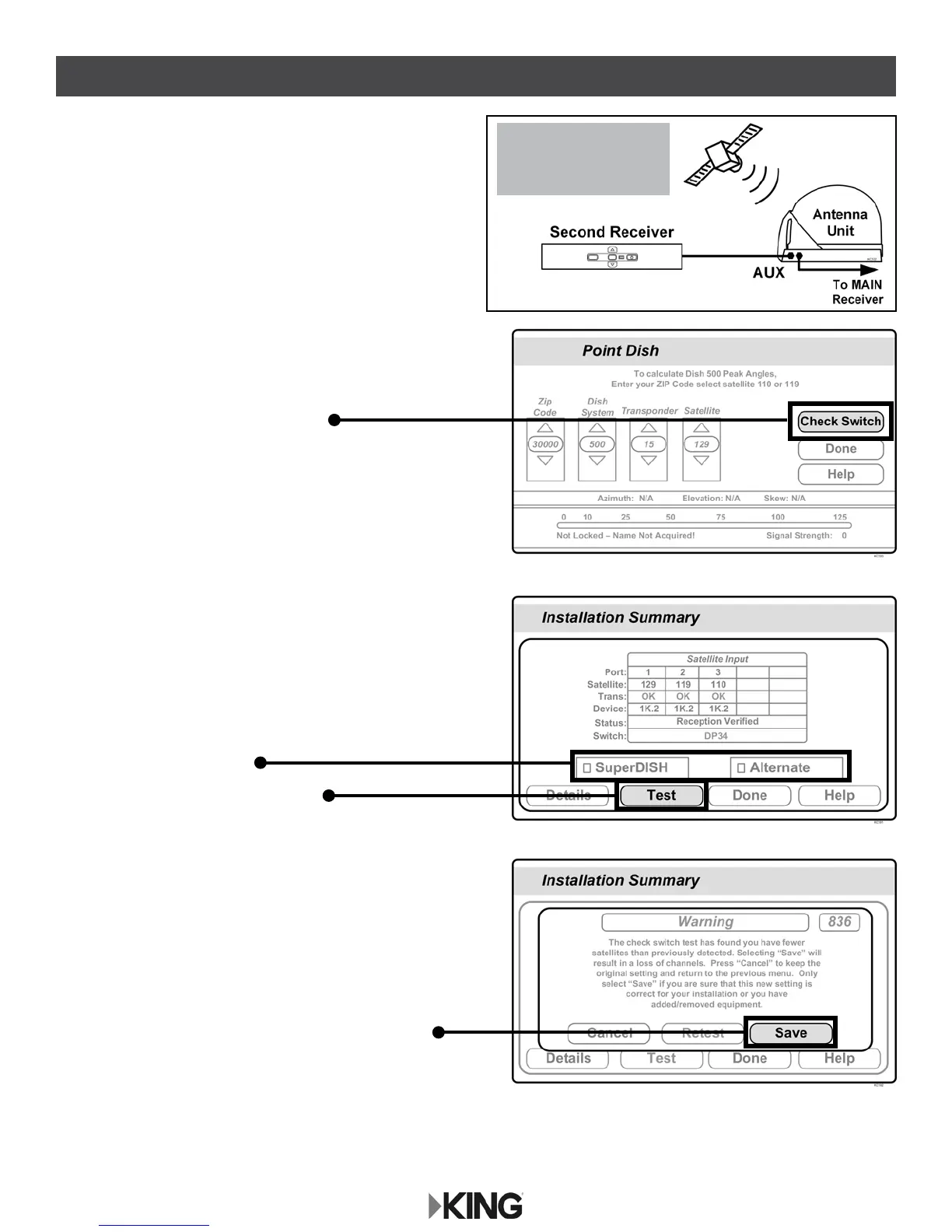
1. With the antenna locked on the satellite
and the second receiver connected to the
antenna unit’s AUX port coax, use your
DISH remote control and press
MENU, 6, 1, 1 to display the
Point Dish screen.
2. Use the arrow buttons on the remote
to highlight Check Switch.
Press SELECT on your remote.
See the next page for downloading programming to the second receiver.
3. Verify SuperDISH and Alternate
are not selected.
Verify Test is highlighted.
Press SELECT on your remote.
4. When test is complete, highlight Save.
Press SELECT on your remote.
Antenna locked on
and
receiver connected!
Receiver sold separately.







 To Next Page