Note:
1. Power Button:
Function 1: Press to wake up/turn off the screen.
Function 2: Long press to turn on/off camera.
2. Down Button: Press to turn on/off audio recording.
3. Up Button:
Function 1: Press to take screenshots when it is recording.
Function 2: Long press to switch display modes.
4. Menu Button:
Function 1: Press to enter the setup menu mode.
Function 2: Long press to enter the playback menu mode.
5. OK Button: Press to start or stop recording, long press to start emergency
recording.
6. Reset: Restore factory settings.
7. Mini USB Power Port: Supply power for the machine and charge the internal
battery.
1080P
G
P
A B C D E F G 3 1
2020-07-06 13:33:16
00:01:26
INSTALLATION
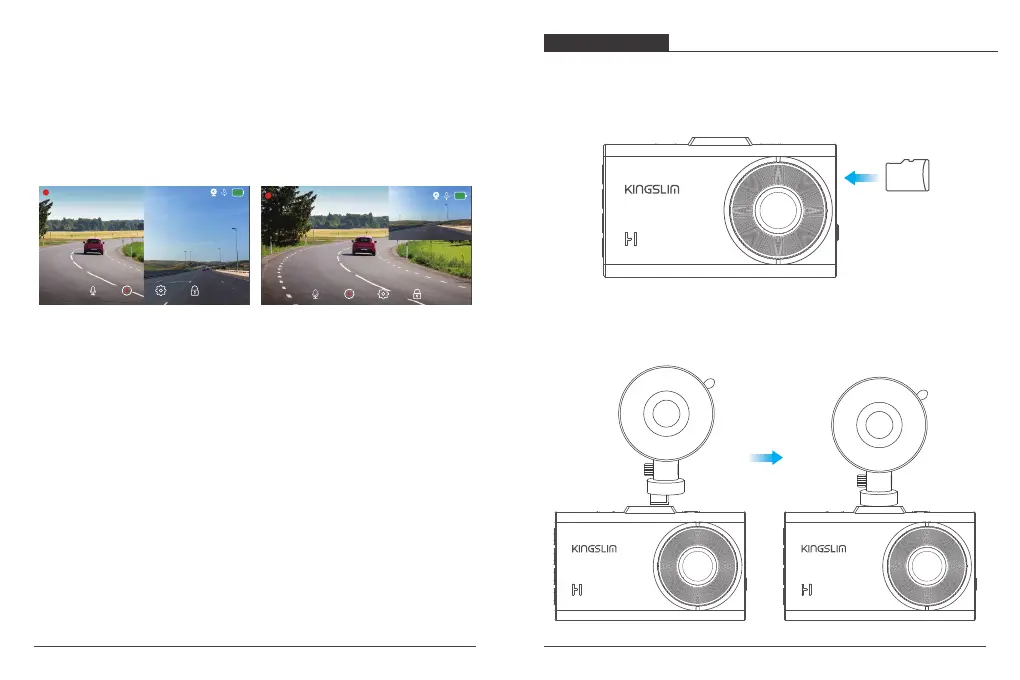
1. Insert the microSD card.
Warm Tips: A Class 10 or above microSD card is highly recommended for D2 dash
cam (microSD card is not included). Please format your card in the camera
before using this dash cam.
microSD
2. Insert the bracket into the bracket slot.
03 04
1080P
G
P
A B C D E F G 3 1
2020-07-06 13:33:16
00:01:26



 To Next Page