Note:
① Pay attention to the connector position when connect the Rear Camera with
the Extension Cable, please refer to the below details.
② Please clean the position to ensure the adhesive quality before installing the
Rear Camera.
③ Please clean the rear windshield regularly to ensure the image quality if you
choose the position 1.
④ If you choose the position 2, you can install the rear camera with the included
adhesive stickers or screws.
8. Use the crowbar to hide the cables.
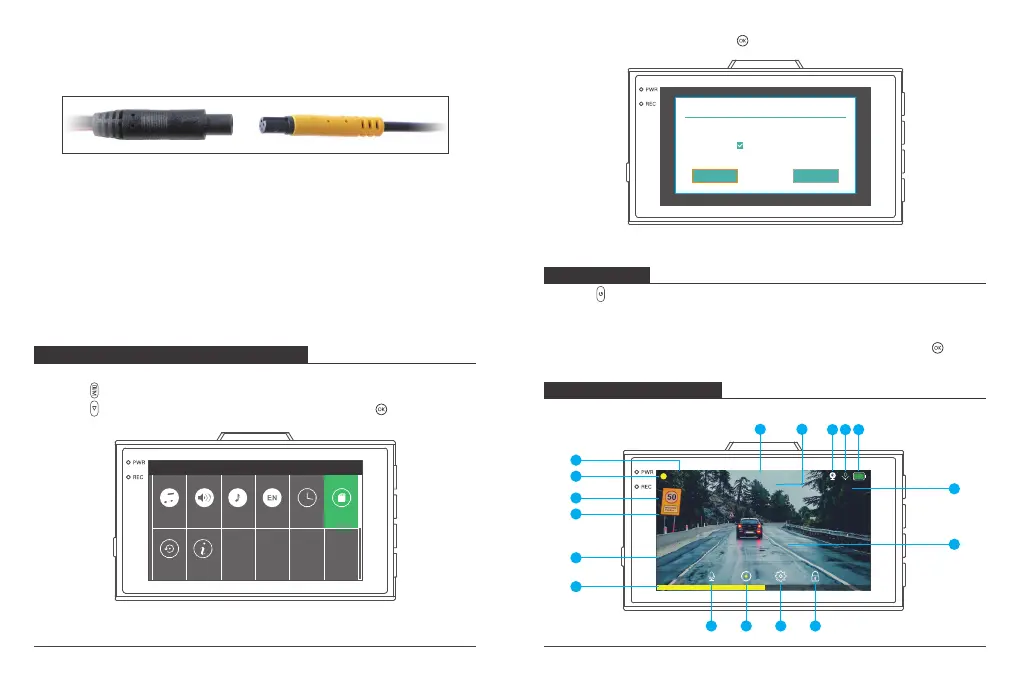
FORMATTING THE MICROSD CARD
Please format your microSD card in the camera before using this dash cam.
① Press “ (menu button)” to enter the Settings page;
② Press “ (down button)” to select “Format”, then press the “ ” button;
RECORDING
1. Press “ (Power button) to turn on the device; or connect a car charger and
start the car engine, the device will start automatically.
2. Every time you exit from the setting menu or playback menu, the device will be
in the automatic recording mode. If you want to stop it, please press “ ”.
SpeakerKey Voice Language Date/Time
Version
Boot Sound
Default
Format
Format
③ Select “Confirm” then press the “ ” button.
Notice
Format SD at once?
Cancel Confirm
Fast format
1080P
G
P
A B C D E F G 3 1
2020-07-06 13:33:16
00:01:26
ICON INTRODUCTION
3
4
5 6
7
17
18
9
8
1011
12
13
14
15
1
2
The main interface
07 08



 To Next Page