12
4.2 Installation and debugging process
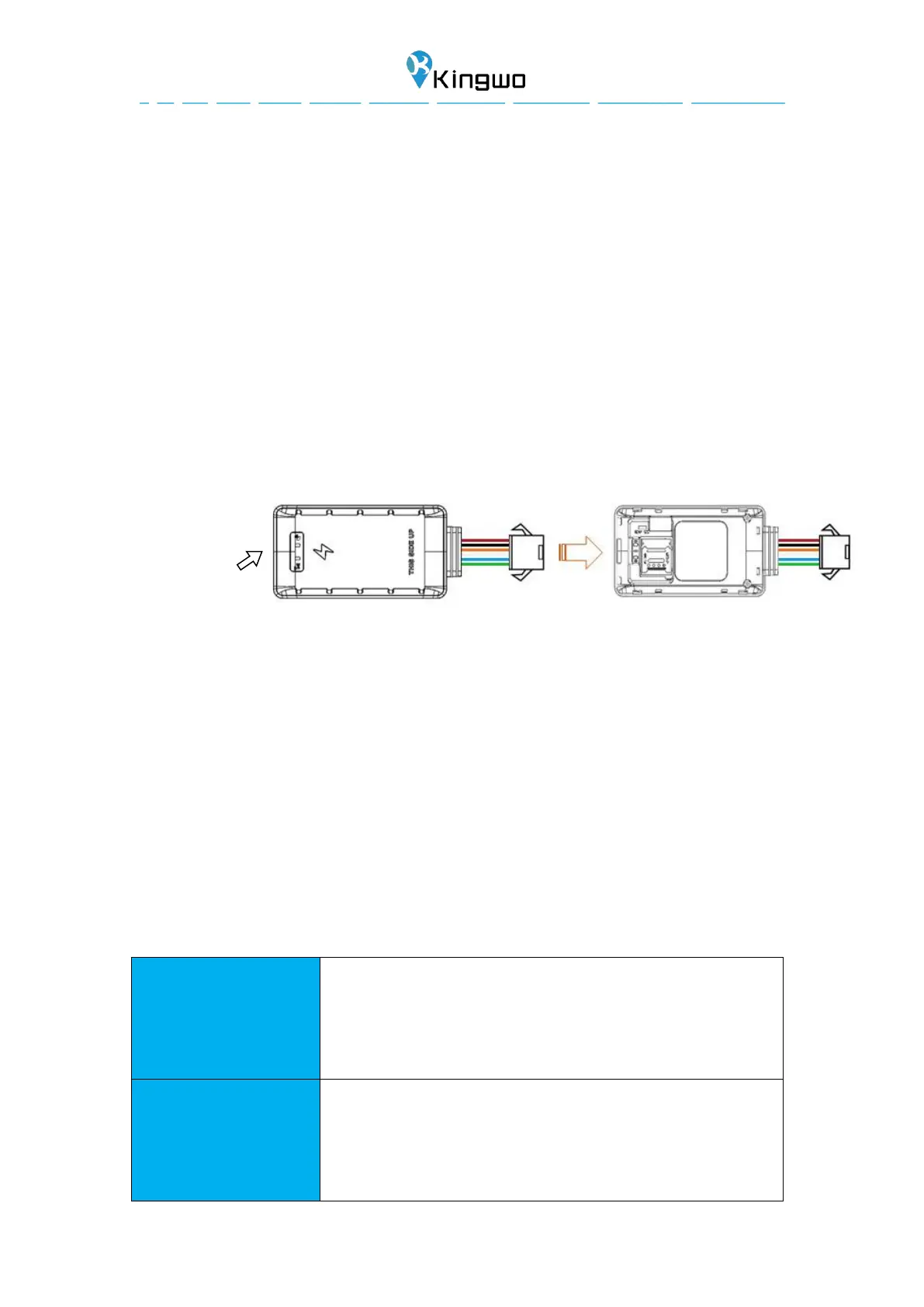
4.2.1 SIM installation
Open the top cover of the device, insert the prepared SIM card into the SIM
cardholder, and then confirm that the SIM card button is in place. Please make sure
that the SIM card has the GPRS function enabled in advance and know the SIM card
number.
4.2.2 Main unit power on
After installing the SIM card, turn the battery switch to the ON position. At this time,
the red light starts to blink, indicating that the device is power on
4.2.3 Parameter setting by SMS
Set APN, User name and password
For example: APN,CMNET,internet,internet#
APN:CMNET
Username: internet
Password: internet
Set IP, port and communication type of primary server
Example : IP,119.23.233.52,9881,1#
Set the primary server IP:119.23.233.52,port 9881,communication
type:TCP
Example :IP,www.itracksense.com,9881,0#


 To Next Page