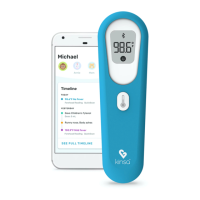
To Set Up Your Thermometer For First Time Use
E
1.
2.
3.
4.
5.
6.
7.
Open the battery door E.
Insert two AAA batteries (included), making sure the poles are in the right
direction, into the thermometer. Snap battery door into place.
Enable Bluetooth on your mobile device.
Download the Kinsa app from the App Store or Google Play. The app can also
be downloaded by going directly to kinsahealth.com/download. Please see
kinsahealth.com/phones for the full list of supported devices.
Launch the Kinsa app. (The app will be on your Home screen or in your Apps
folder depending on type of mobile device.)
Turn the thermometer on and follow the prompts to install.
Your thermometer is now successfully connected to your mobile device. For
future temperature readings, open the Kinsa app to automatically sync
readings to your mobile device and assign to individual family members, add
notes or symptoms/medications, and see guidance.
To Set Up Your Thermometer with Additional Mobile Devices
1.
2.
3.
If you have the original phone, open Kinsa, go to “More,” select the
thermometer to remove and choose “Forget Thermometer.”
On the additional mobile device, repeat Steps 3 through 7 above.
Your thermometer is now successfully connected to an additional
mobile device.
5


 To Next Page