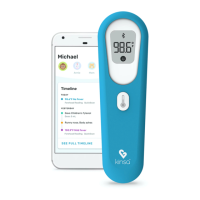
Understanding Your Thermometer Display
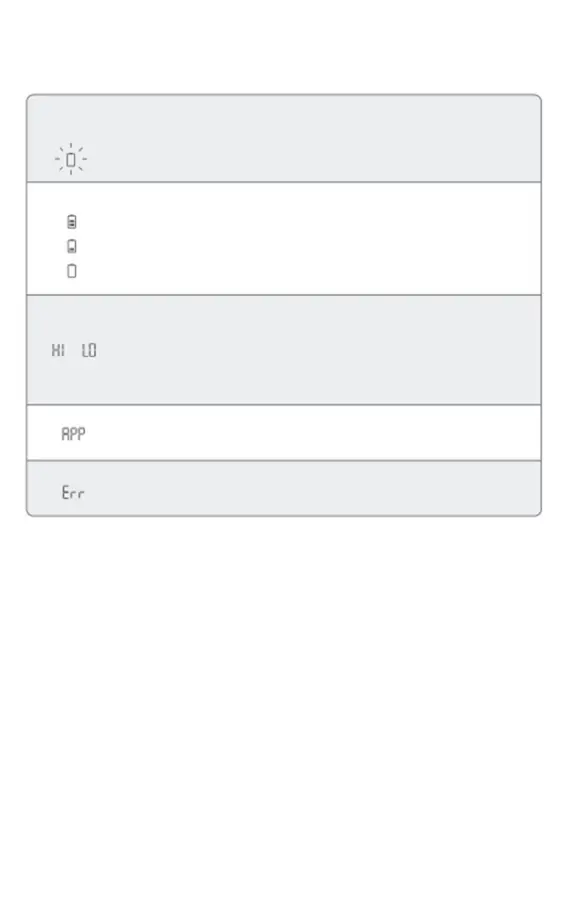
DISPLAY
Battery icon,
empty, blinking
Battery levels:
SITUATION
Battery is critically low
and may not operate
correctly
SOLUTION
Insert new batteries.
2 bars = 40% battery
1 bar = 20% battery
0 bars = 5% battery
HI
Temperature taken is not
within typical human
temperature range (93.2-
108 °F or 34-42.2 °C) HI =
too high
LO = too low
Make sure the probe tip and lens are
clean. Make sure the thermometer is
properly inserted. Then, take a new
temperature.
If you continue to encounter an error,
contact Kinsa Customer Support.
APP
ERR
Connect to Kinsa app. Please refer to the set up process.
The operating Operate the thermometer only
temperature is not between the specified temperature
in the range 15°C–40°C ranges.
Kinsa App Set Up Process
Download the Kinsa app from the App Store or Google Play. The app can also be downloaded
by going directly to kinsahealth.com/download. Please see kinsahealth.com/phones for the
full list of supported devices.
Changing The Temperature Scale
If you wish to change the temperature scale of your thermometer, turn your
thermometer on and then press the big white button two more times in rapid
succession.
NOTE: temperature scale in app can be changed within app settings.
8


 To Next Page