17
G
etting to know your microwave-convection hood combination
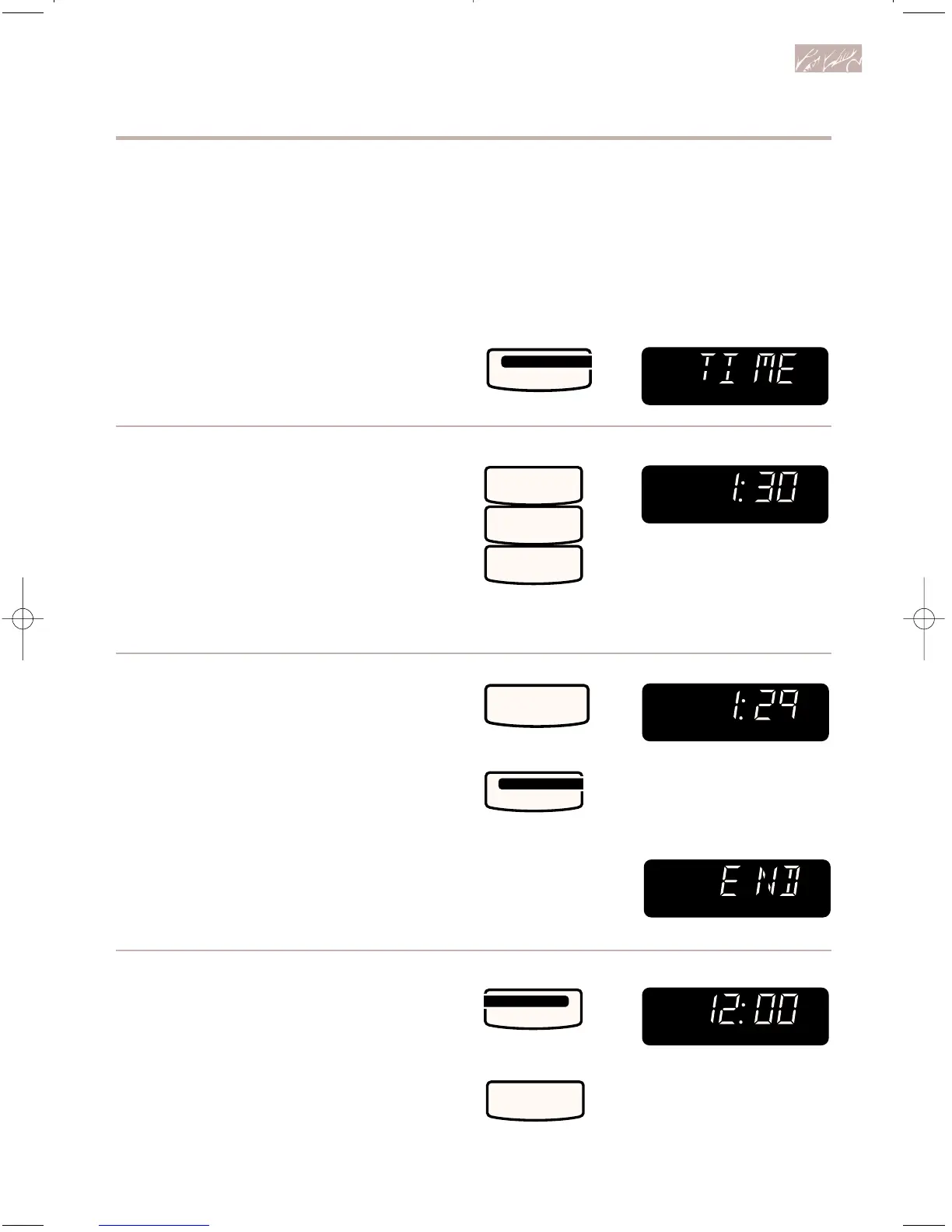
Using the Minute Timer
You can use your microwave oven as a
minute timer. Use the Minute Timer for
timing up to 99 minutes, 99 seconds.
1. Touch TIMER SET • START.
2. Enter time to be counted down.
Example for 1 minute, 30 seconds:
NOTE: If you enter more than 4 digits,
three tones will sound. Touch START to
count down the 3-digit time you have
entered or touch TIMER CANCEL to
clear the Display. To start over, touch
TIMER SET • START and re-enter
desired time.
3. Start countdown.
NOTE: If you do not do this step within
3 seconds of doing Step 2, “START?” will
be displayed. You then have 1 minute to
touch START or TIMER SET • START
before the Display returns to time of day.
At end of countdown:
To cancel Minute Timer:
During countdown:
After countdown:
NOTE: The oven can operate while the
Minute Timer is in use. To see the Minute
Timer while the oven is cooking, touch
TIMER SET • START. The Display will
return to the cooking time countdown after
3 seconds.
TOUCH YOU SEE



 To Next Page