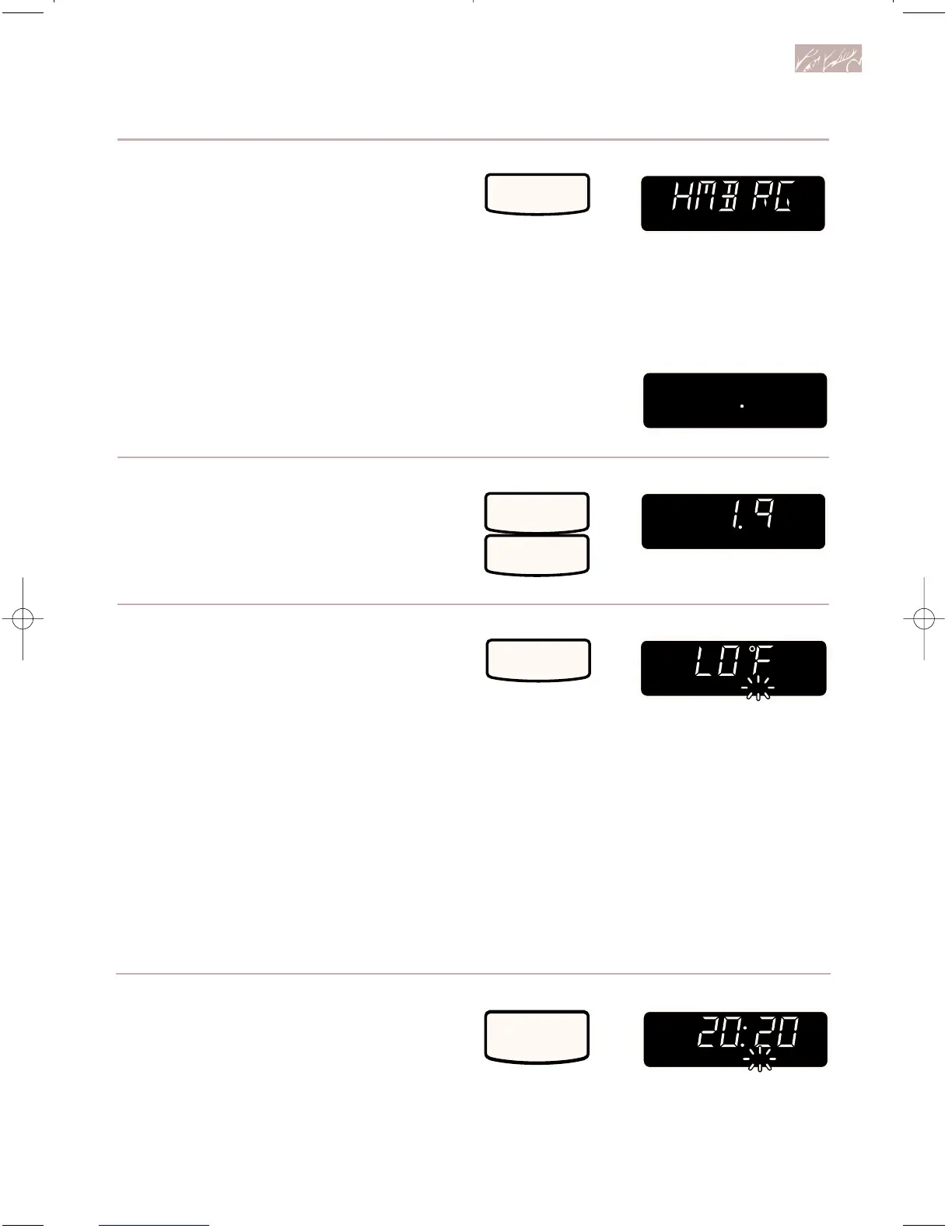
2. Choose food setting.
See chart on next page for available
settings.
Example for setting 1 (hamburger,
broiled):
NOTE: If you have entered the wrong
setting, you have 3 seconds to change
the setting. After 3 seconds, you must
touch AUTO COMBI to start over.
After 3 seconds:
3. Enter food weight or quantity.
NOTE: If you have entered the wrong
weight or quantity, touch AUTO COMBI
to start over.
4. Start oven.
When the oven temperature reaches
90°F (32°C), the temperature will be
displayed. The displayed temperature
will change each time the temperature
goes up by 5 degrees.
If you open the door or touch
CANCEL/OFF during preheating,
preheating will stop. To resume
preheating, close the door and touch
START.
55
Combination cooking
TOUCH YOU SEE
• When the oven reaches the set preheat
temperature, two tones will sound and the
oven will automatically hold that tempera-
ture for 30 minutes. The Display will show
the set temperature.
5. After preheating, open the door,
put food in oven, and close
the door.
TOUCH YOU SEE



 To Next Page