8
USING THE STIR TOWERUSING THE STIR TOWER
6
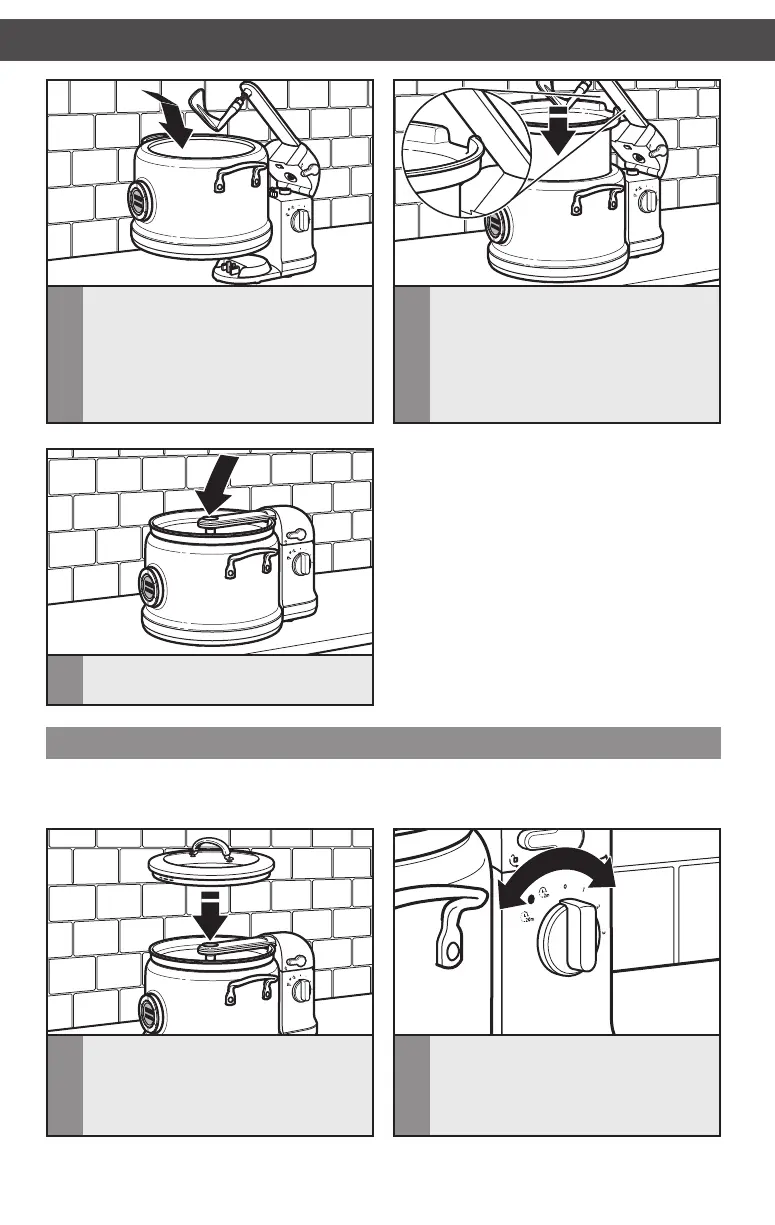
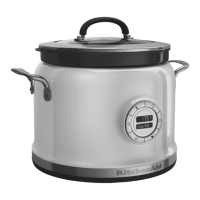
Place the cooking pot in the
Multi-Cooker, aligning the notch in
the cooking pot with the stir arm�
5
With the lid removed, align the back of
the Multi-Cooker with the front of the
Stir Tower� Make sure the Stir Speed
Selector is set to 0 (OFF) position
before placing the Multi-Cooker onto
the easy connect power port on the
Stir Tower base�
7
Lower the stir arm until it locks into
place�
Cooking with the Stir Tower
2
Once the cooking mode is set and
started (see Multi-Cooker instructions),
select the desired stir speed or
intermittent stir mode� Power on
indicator will light�
1
Add ingredients to the cooking pot, align
the cut-out in the Multi-Cooker lid with
the stir arm and cover the cooking pot�
NOTE: For additional information on how to add ingredients and select cooking modes, see
instructions included with your Multi-Cooker, or visit kitchenaid�com�au or kitchenaid�co�nz�
W10822849A_Final.indd 8 8/20/15 10:02 AM




 To Next Page