14 | USING THE STAND MIXER
USING THE STAND MIXER
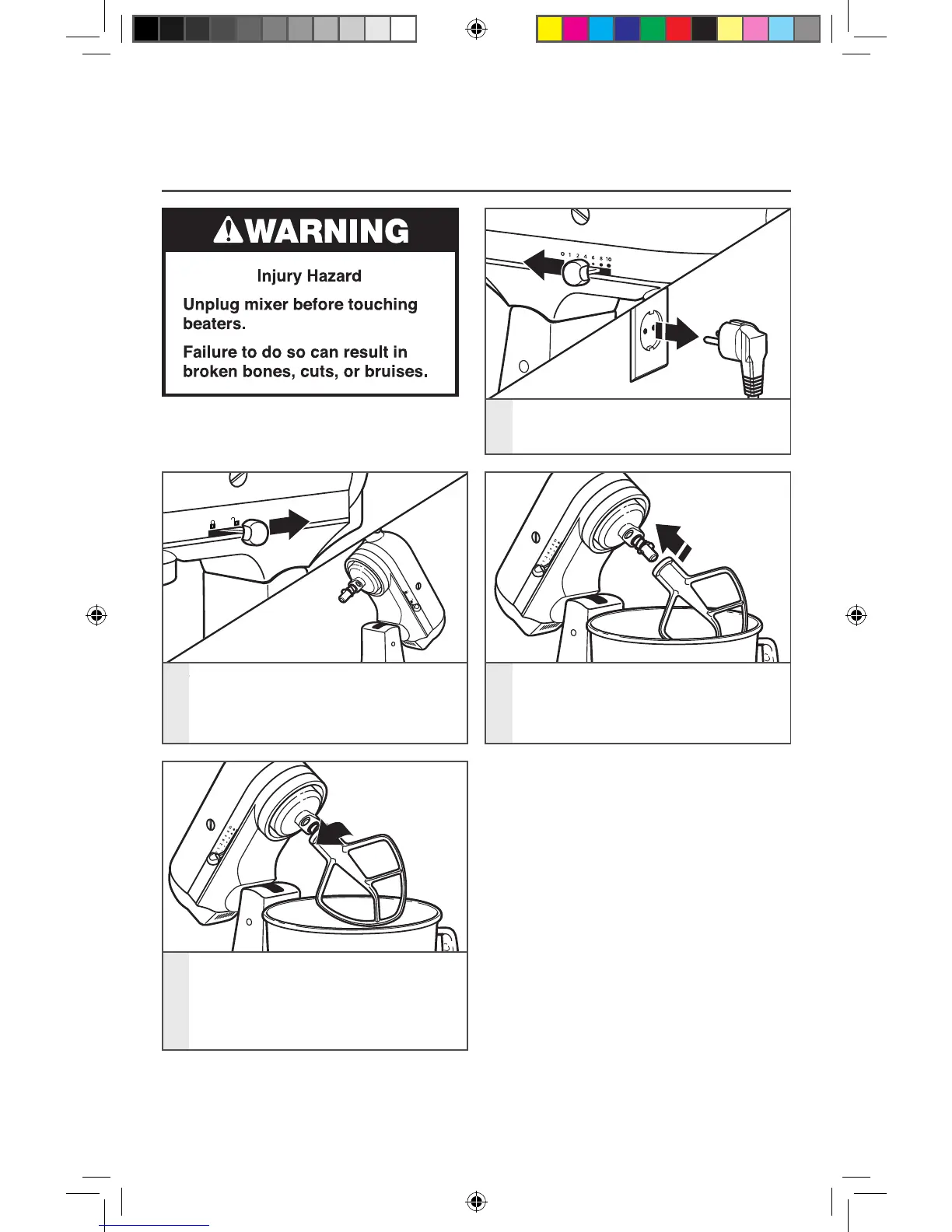
ATTACHING/REMOVING THE FLAT BEATER, FLEX EDGE BEATER*,
WIRE WHIP, OR DOUGH HOOK
1
To attach accessory: Turn speed
control to “0”. Unplug Stand Mixer.
4
To remove accessory: Repeat steps 1
and 2. Press accessory upward
as far as possible and turn to the
left. Then pull accessory from the
beater shaft.
2
Hold the locking lever in the UNLOCK
position and tilt motor head back.
3
Slip accessory onto beater shaft and
press upward as far as possible. Then,
turn accessory to the right, hooking
accessory over the pin on the shaft.
* Included with select models only. Also available as optional accessory.
W10863290A_01_EN_v06.indd 14 3/30/16 11:18 AM


 To Next Page
 Loading...