TROUBLESHOOTING
1. If the LED light is not illuminated:
Check to see whether the Siphon Coffee
Brewer is plugged into a grounded
3-prong outlet. If it is, check the fuse
or circuit breaker on the electrical circuit
the Coffee Brewer is connected to and
make sure the circuit is closed.
If the problem cannot be corrected:
See the “Warranty and service” section. Do
not return the Siphon Coffee Brewer to the
retailer; retailers do not provide service.
8
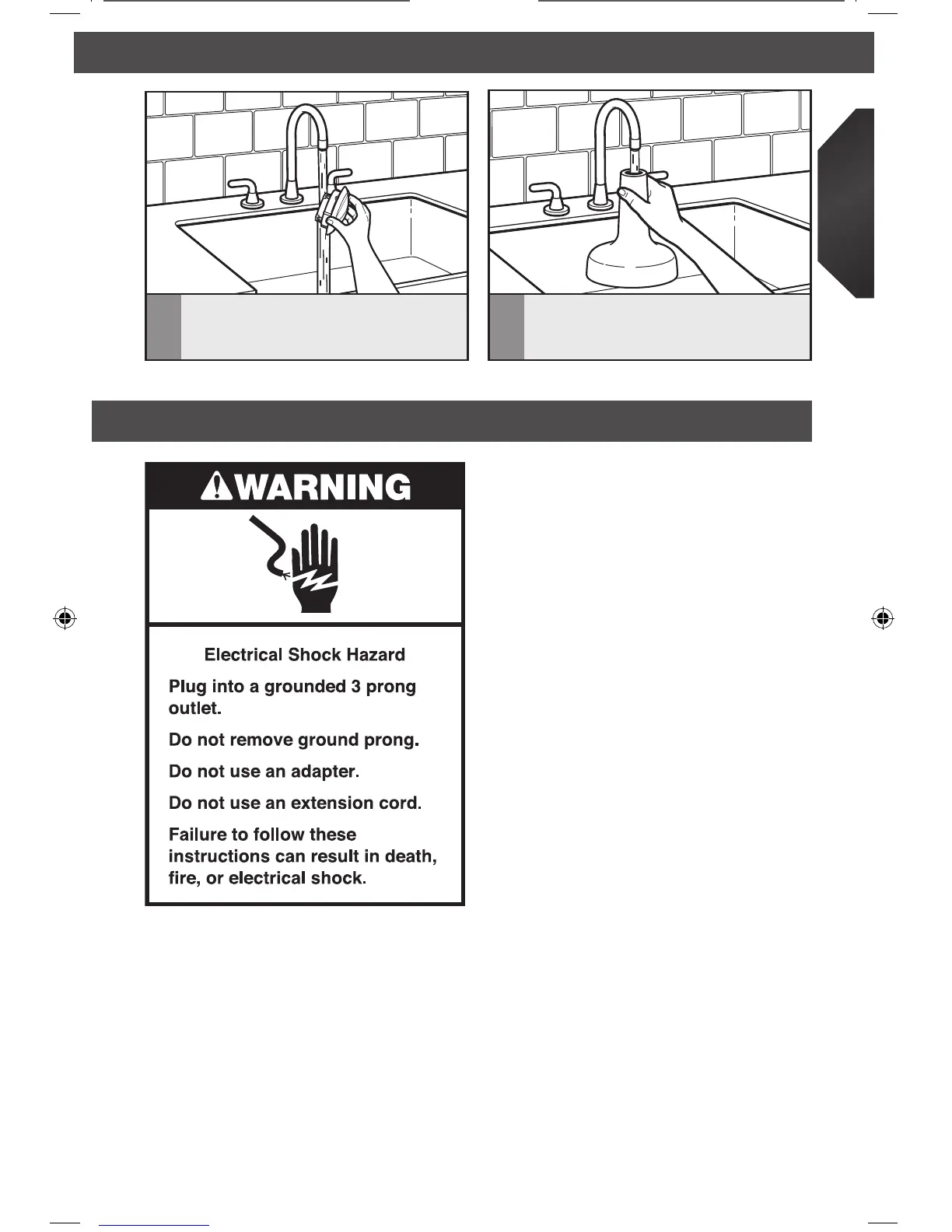
Rinse the inside of the brew unit stand
with water after every use. Allow to
air dry.
7
Run water through the inside of the lid
after every use. Prop the lid on its side
to allow it to fully air dry.
CARE AND CLEANING
2. If water does not ow up into the brew
unit from the carafe...
• Check water was added to carafe.
• Check the On/Off switch is turned in
the on position with LED illuminated.
• Check the power cord is plugged in.
• Check the brew unit is properly seated
to the carafe and the brew unit handle
aligns with the carafe handle.
3. If coffee grounds found in carafe...
• Check that the coffee lter is locked
into place.
4. If coffee does not drop from the brew unit
into the carafe...
• Check grind size. Maybe too ne which
can clog the lter.
• Check the brew unit is properly seated
to the carafe and the brew unit handle
aligns with the carafe handle.
5. If during brewing, coffee leaks out of the
top of the brew unit...
• Be certain not to overll the carafe.
Make sure not to ll past the
“8 cups/max” line.
• Do not reboil a pot of previously
brewed coffee. Reboiling the coffee
can cause the brew unit to overow.
W10745267B_EN_v01.indd 13 2/26/15 4:43 PM









 To Next Page