EasyManua.ls Logo

KitchenAid KEBS207D - Page 15

KitchenAid KEBS207D
50 pages
Print Icon
To Next Page IconTo Next Page
To Previous Page IconTo Previous Page
Loading...
^sing
Your
Oven
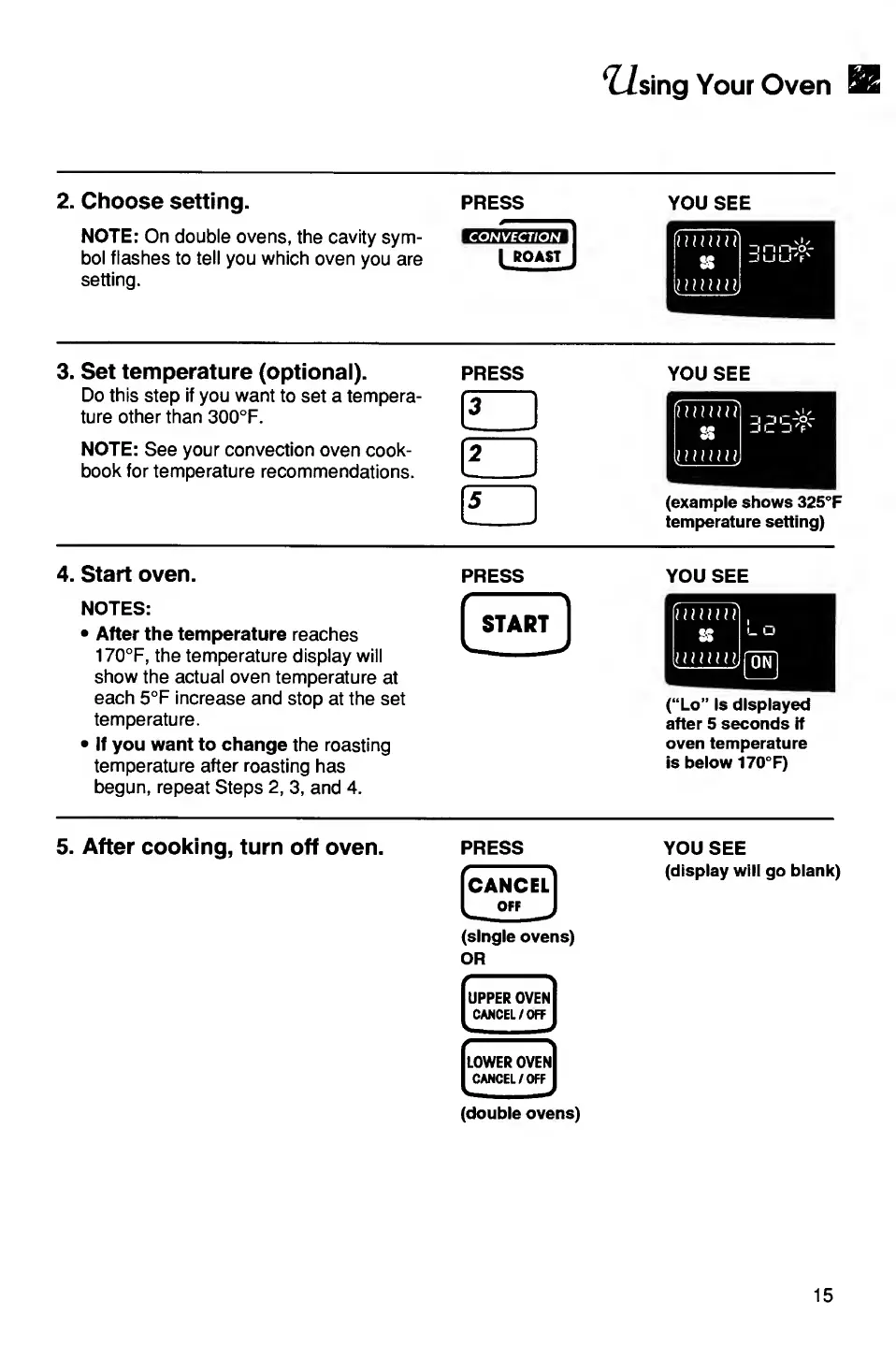
2.
C
h
o
ose
setting.
PRESS
NOTE:
On
double
ovens,
the
cavity
sym¬
bol
flashes
to
tell
you
which
oven
you
are
setting.
CON
ROAST
YOU
SEE
3.
S
et
temperature
(optional).
press
Do
this
step
if
you
want
to
set
a
tempera¬
ture
other
than
300°F.
NOTE:
See
your
convection
oven
cook¬
book
for
temperature
recommendations.
YOU
SEE
(example
shows
325°F
temperature
setting)
4.
S
tart
oven.
NOTES:
After
the
temperature
reaches
170°F,
the
temperature
display
will
show
the
actual
oven
temperature
at
each
5°F
increase
and
stop
at
the
set
temperature.
If
you
want
to
change
the
roasting
temperature
after
roasting
has
begun,
repeat
Steps
2,
3,
and
4.
PRESS
START
v_
J
YOU
SEE
(“Lo”
is
displayed
after
5
seconds
if
oven
temperature
is
below
170°F)
5.
After
cooking,
turn
off
oven.
PRESS
ICANCELl
OFF
(single
ovens)
OR
(double
ovens)
YOU
SEE
(display
will
go
blank)
15

Related product manuals