EN
19
3.
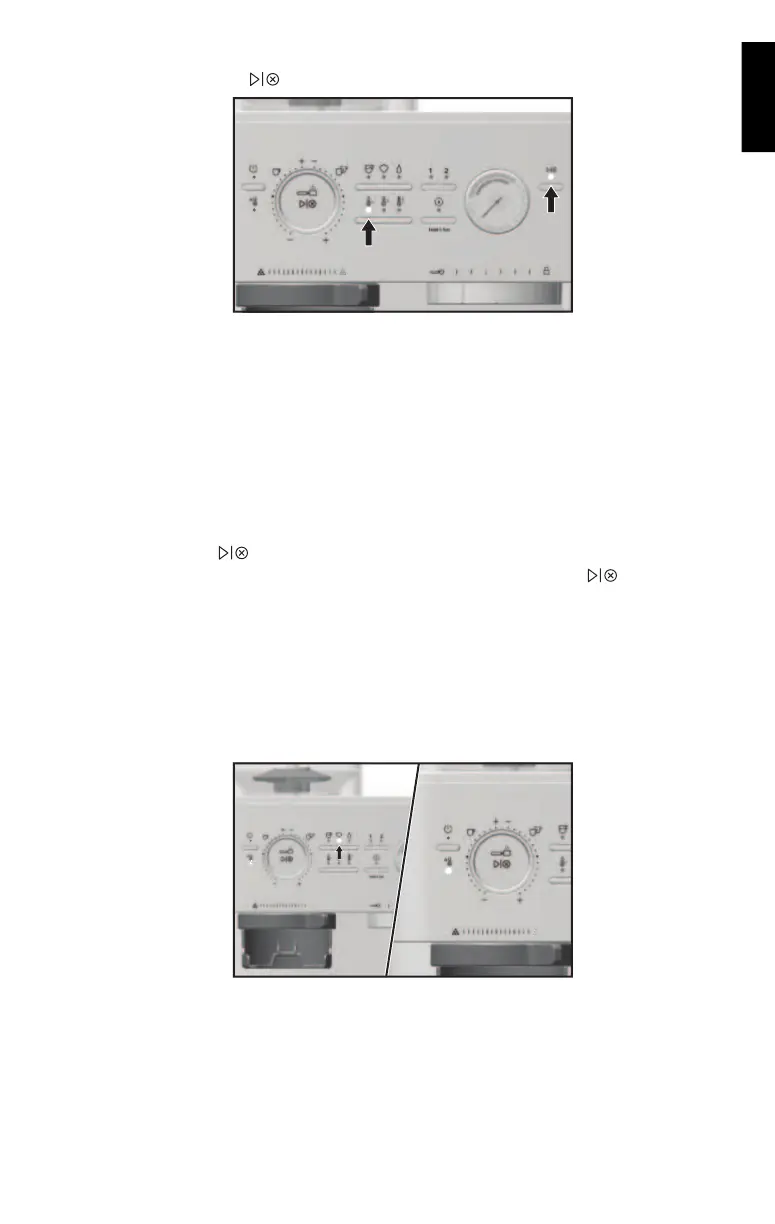
Toggle the Temperature Button to select desire extraction temperature. Press the
Brew Start/Stop Button (
) to run selected Espresso cycle.
NOTE: Do not remove the Portafilter when brewing.
Personalize Brew
Temperature: Utilize the easily selectable temperature settings to adjust the Espresso
temperature to your taste.
� Low
� Medium
� High
To change pre-programmed Espresso volume for 1 or 2: Toggle the Mode Button to select
Espresso mode. Select the dose you desire to program (1 or 2). Press and hold
Brew Start/Stop Button (
) until the desired Espresso amount is reached in your cup. While
programing your selected dose, the dose and the Brew Start/Stop Button (
) lights will
blink. Lights will stop blinking when programming is complete.
TIP: To restore all factory settings, press and hold Dose Button for 3 seconds. All indicator
lights will blink indicating that all settings are restored.
STEAM
1. Toggle the Mode Button to select Steam mode for heating and frothing the milk. The
machine will start heating if not already heated, indicated by the flashing heating light. The
heating light will go solid when machine is ready for steaming.


 To Next Page