32
4.
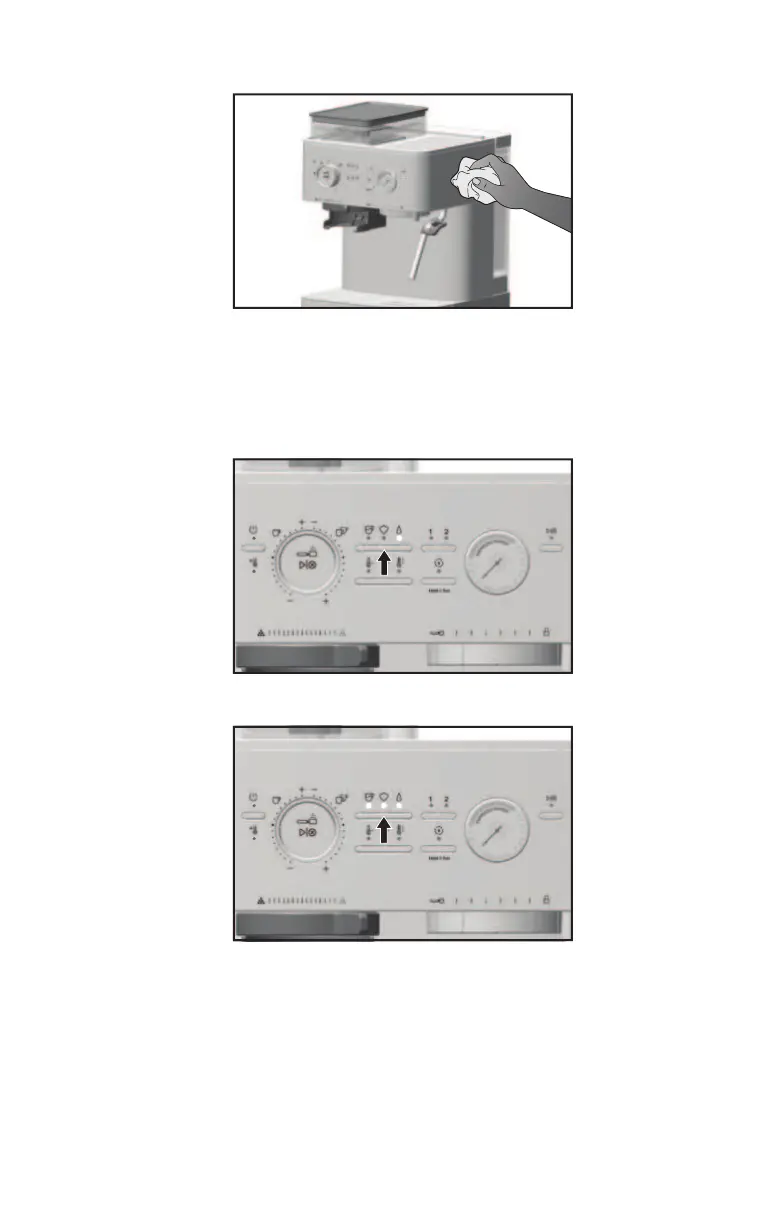
Wipe the Semi-Automatic Espresso Machine housing, Cup Warmer Tray,
Accessory Storage Tray, and Group Head with a clean soft damp cloth.
PROGRAMMING WATER HARDNESS
Before proceeding with programming, you will need to know your water hardness.
If you do not know your water hardness, you can purchase a water hardness test kit.
To configure the water hardness:
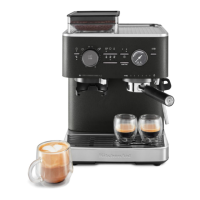
1. Press the Mode Button to select the Hot Water mode.
2. Press and hold the Mode Button for 3 seconds until the Espresso, Steam, and Hot Water
mode LEDs light.
NOTE: When changing the water hardness setting after setting it the first time, not all
mode LEDs will light. It will revert to the previous setting.
Example: If the low hardness is set the first time, only the Espresso mode LED will light.








 To Next Page