8
*Always refer to Service Sheet and Use and Care Manual for information specic to the refrigerator you are servicing.
KitchenAid Tempest User Interface
Programming - Power Up
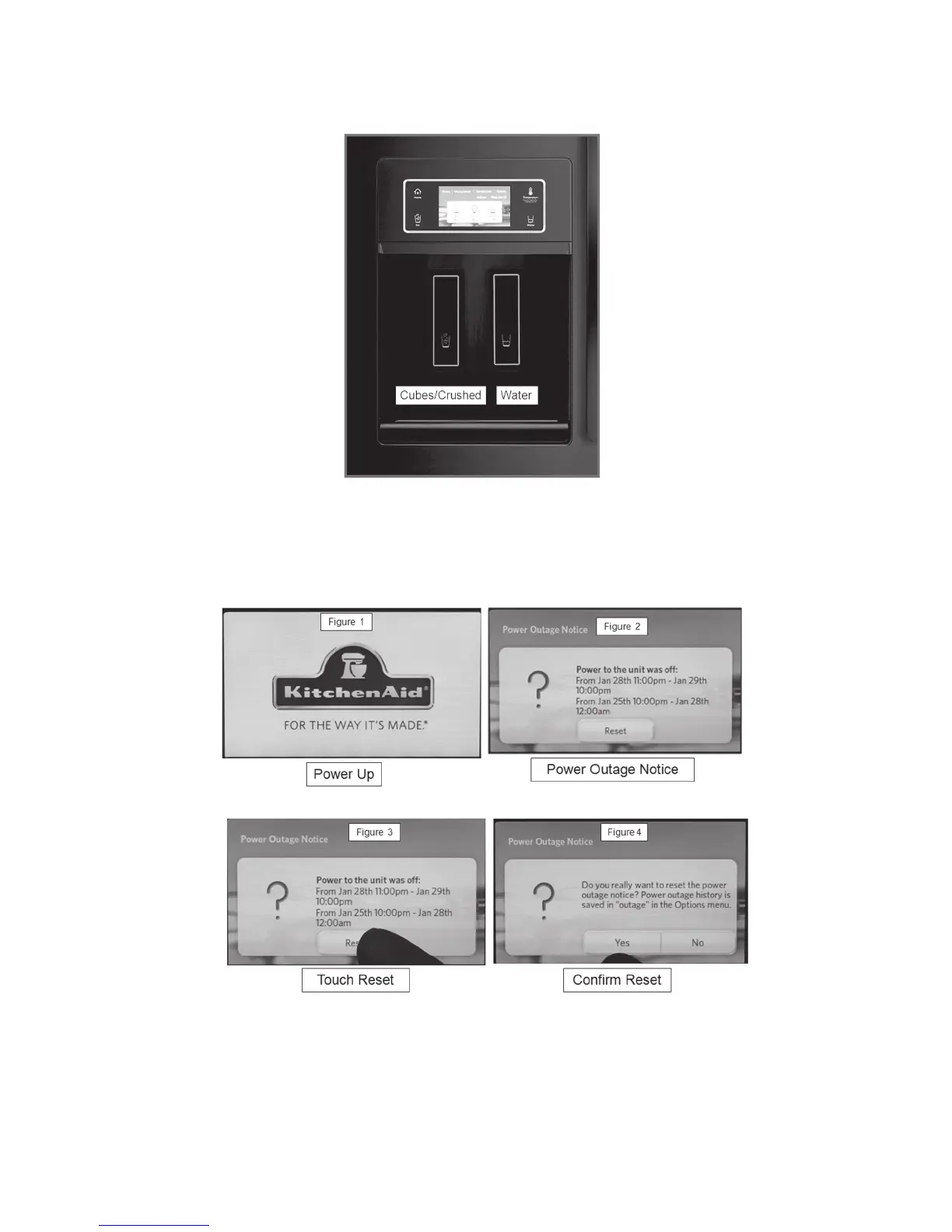
Figure 1 – When the refrigerator is rst powered up, the KitchenAid logo is displayed.
Figure 2 – If the refrigerator has been powered up previously and was disconnected
from power for any reason the power outage screen will be displayed.
The date and time of the power outage will be displayed.
Figure 3 – Touch Reset.
Figure 4 – Conrm whether you want to delete power outage history – touch Yes or No.
.
The KitchenAid dispenser incorporates a photo display feature. Downloads are ac-
complished using a USB connection located under the User Interface.



 To Next Page