13
*Always refer to Service Sheet and Use and Care Manual for information specic to the refrigerator you are servicing.
Uploading Photos (continued)
Upload Progress Screen
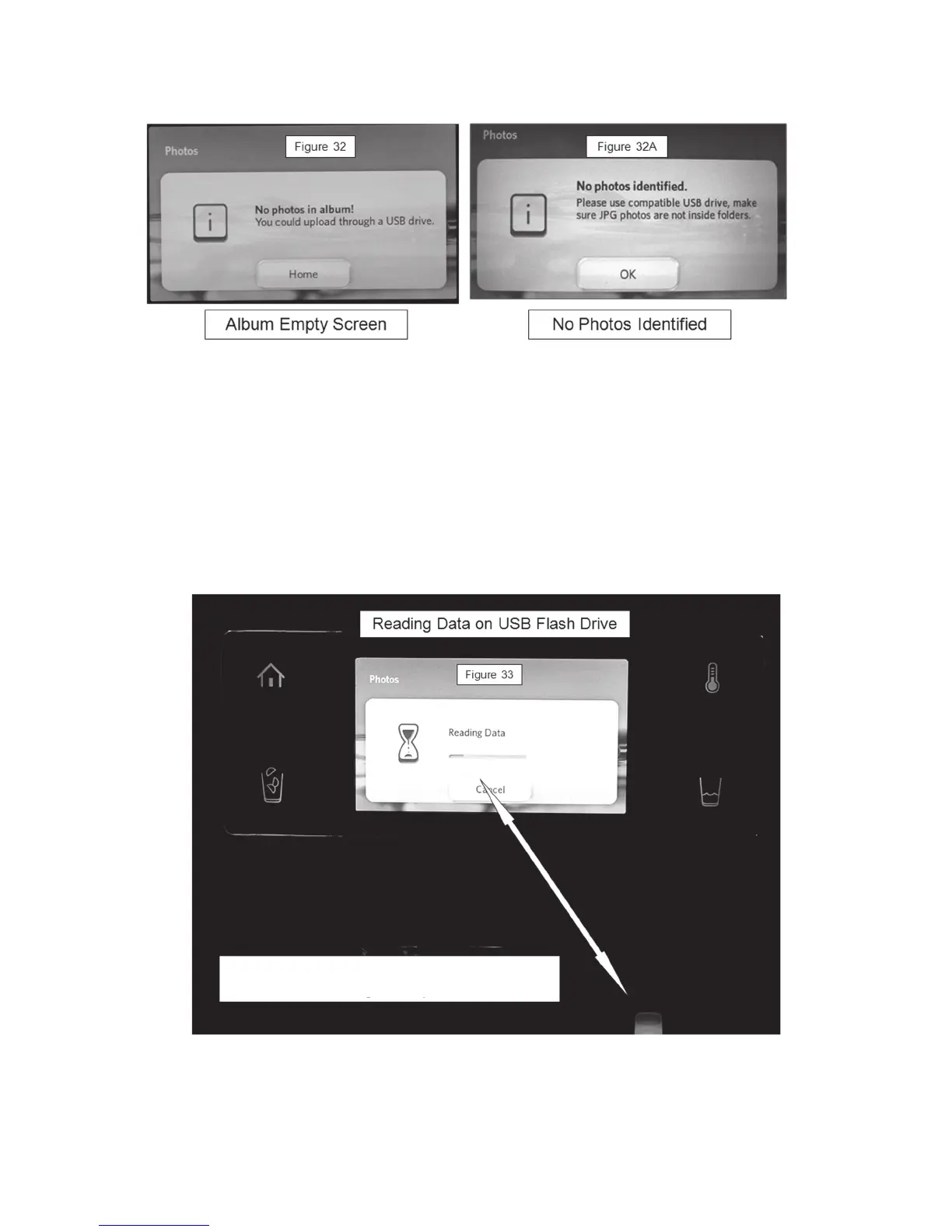
Figure 32 – Album is empty – (All photos have been deleted) upload photos.
Figure 32A – If “No Photos Identied” message is displayed, make sure:
u Images are JPEG.
u An USB ash drive USB 1.1 or 2.0 standards is been used (No
cameras, I pods, cell phones, external hard memory, etc).
u Pictures are not inside folders.
Figure 33 - Upload Progress Screen
Screen indicates progress of downloading USB.
Most ash drives have a light that will
illuminate during the upload process



 To Next Page