15
*Always refer to Service Sheet and Use and Care Manual for information specic to the refrigerator you are servicing.
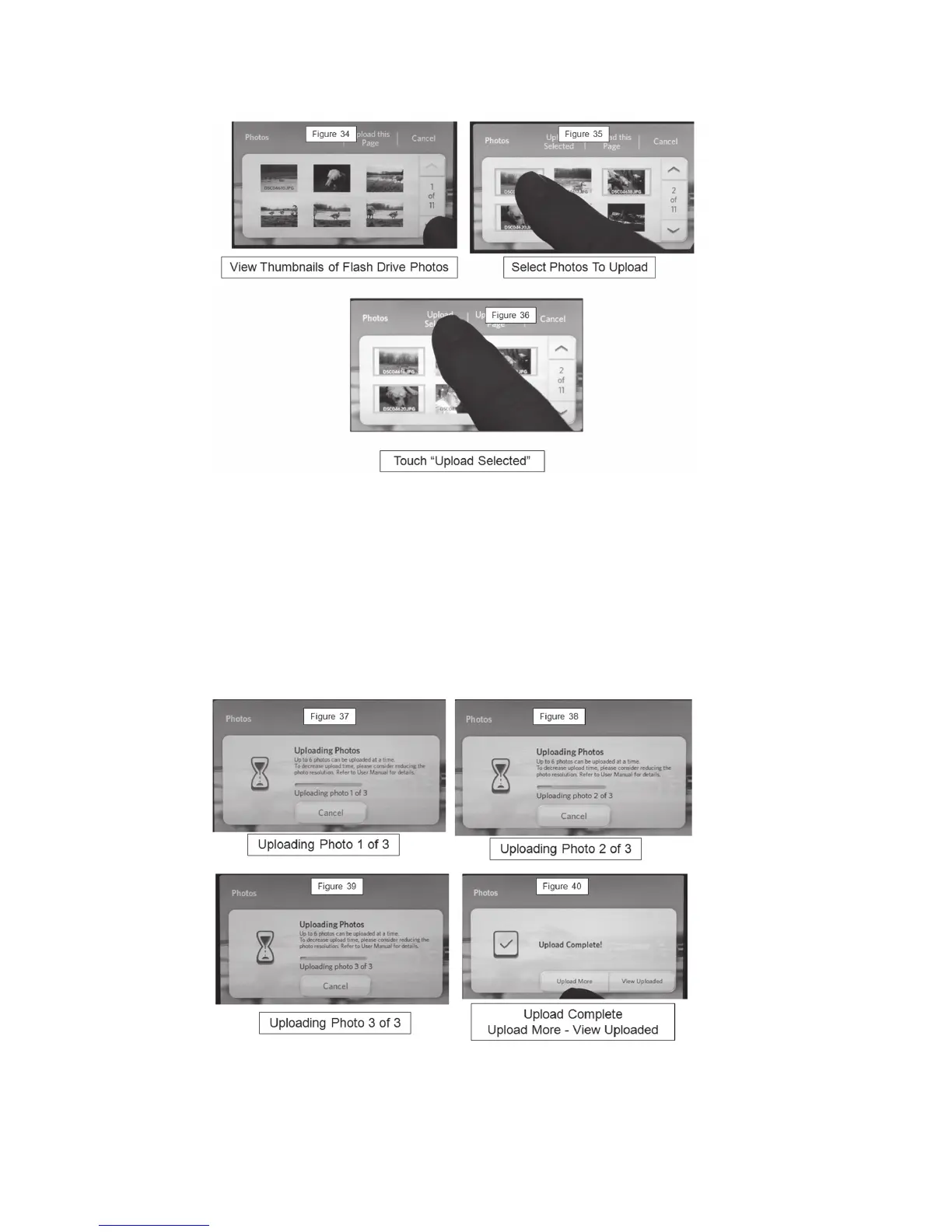
Upload Progress Screens
Selecting Specic Photos to Upload
The control panel will display all JPEG photos found on the USB memory device.
Touch the photos you wish to select. The selected photos will be highlighted.
NOTE:
A selected images will be unselected if it is touched again.
Multiple photos can be selected from different pages. Touch Upload Selected pad to
begin Upload.
An Upload progress screen indicates the total number of photos and which photo is
being uploaded.
Note: Higher resolution photos will require more time to upload than lower resolution
photos; this is normal.



 To Next Page