8
Using the Wafe Baker
1
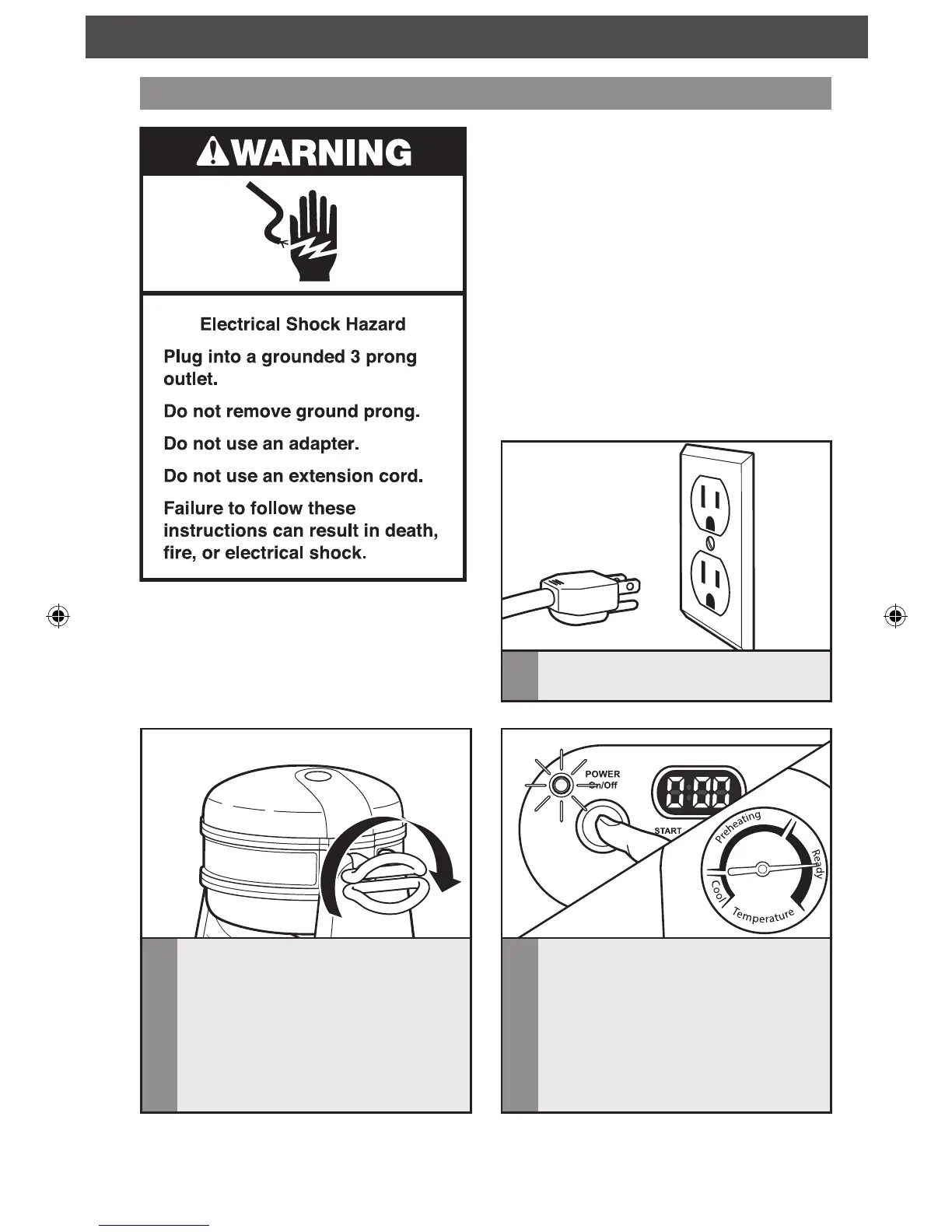
Plug the Waffle Baker cord into
a grounded 3 prong outlet.
2
Rotate the baking unit so the lid with
the dial thermometer faces upwards.
Before first use:
Before using the Waffle Baker for the first
time, clean the waffle plates with a warm,
sudsy cloth, then wipe with a damp cloth.
Dry thoroughly with a soft cloth. See “Care
and Cleaning” section for more details.
IMPORTANT: Steam is produced during
every baking cycle and condensation may
form on the baker lids. This is normal.
NOTE: Always use the handles to rotate
the baking unit and open the baking lids.
OPERATING THE WAFFLE BAKER
3
Press the POWER On/Off button to
turn the unit on. The indicator light will
flash and the Waffle Baker will begin
pre-heating. When the Waffle Baker has
reached operating temperature, a tone
will sound and the indicator light will
stop flashing and glow continuously. The
needle on the dial thermometer will be
in the “ready” range.
W10591298A_ENv7.indd 8 4/7/14 2:50 PM


 To Next Page