EasyManua.ls Logo

KitchenAid SUPERBA KEBS176 - Page 33

KitchenAid SUPERBA KEBS176
39 pages
Print Icon
To Next Page IconTo Next Page
To Previous Page IconTo Previous Page
Loading...
3.
W
ipe
soil
from
Oven
Frame
and
Door
outside
of
Gasket.
Wash
with
detergent
and
hot
water,
rinse
well
with
a
mixture
of
vinegar
and
water
and
wipe
dry.
A
non¬
scratch
scouring
pad
may
be
used
on
heavily
soiled
areas.
Wash
surfaces
frequently
to
minimize
overall
cleaning
as
these
areas
are
not
cleaned
during
the
self¬
clean
cycle.
CAUTION:
DO
NOT
SCRUB
OR
CLEAN
OVEN
DOOR
GASKET.
To
Start
the
Automatic
Self-Clean
Cycle
1.
Follow
steps
under
"Before
Starting
the
Self-Clean
Cy¬
cle,”
page
33.
2.
Check
to
see
that
the
elec¬
tronic
clock
is
set
to
the
cor¬
rect
time
of
day.
If
not,
reset
to
the
correct
time
following
the
instructions
on
page
10.
3.
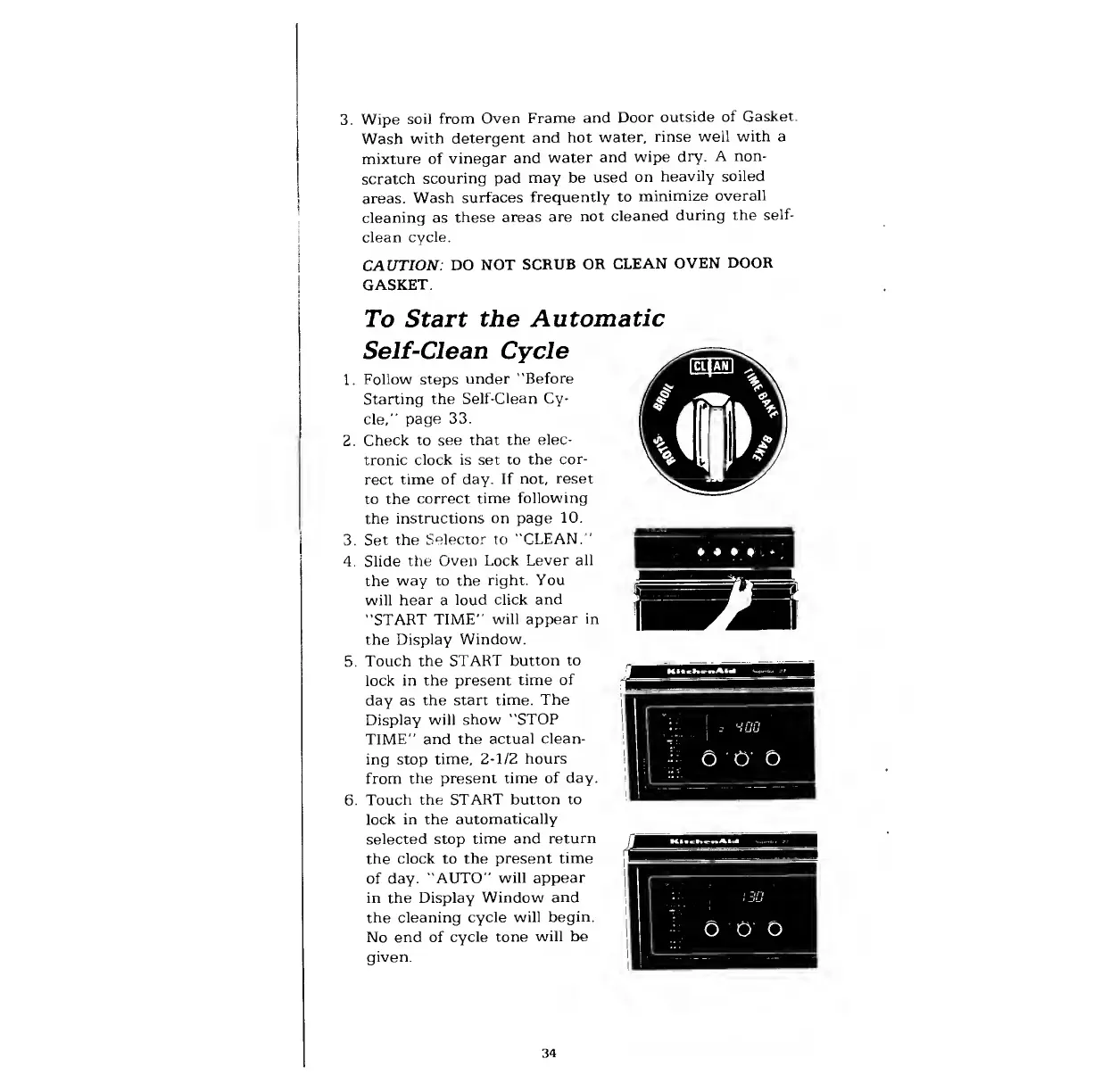
Set
the
Selector
to
"CLEAN.
'
4.
Slide
the
Oven
Lock
Lever
all
the
way
to
the
right.
You
will
hear
a
loud
click
and
"START
TIME”
will
appear
in
the
Display
Window.
5.
Touch
the
START
button
to
lock
in
the
present
time
of
day
as
the
start
time.
The
Display
will
show
"STOP
TIME”
and
the
actual
clean¬
ing
stop
time,
2-1/2
hours
from
the
present
time
of
day.
6.
Touch
the
START
button
to
lock
in
the
automatically
selected
stop
time
and
return
the
clock
to
the
present
time
of
day.
"AUTO”
will
appear
in
the
Display
Window
and
the
cleaning
cycle
will
begin.
No
end
of
cycle
tone
will
be
given.
34

Related product manuals