Using the PC camera function
1. Connect one end of the supplied USB cable to the camera’s
micro USB Port (6), and the other end to the PC’s USB port
and turn the camera on.
2. Turn on the camera and a ‘Connecting’ prompt will appear
on the LCD Display, choose ‘PCCAM’. If using Windows XP®,
Open [My Computer], double click ‘USB video tool’. If using
WindowVista®,7or8,thePCCamerafunctioncanonlybe
used with third-party software (Skype™, etc.).
Waterproof case
The Escape HD5W Action Camera includes a case that is waterproof
up to 60 metres. When using the camera in a wet environment,
always use the waterproof case. It is recommended that the case
be used at all times for protection.
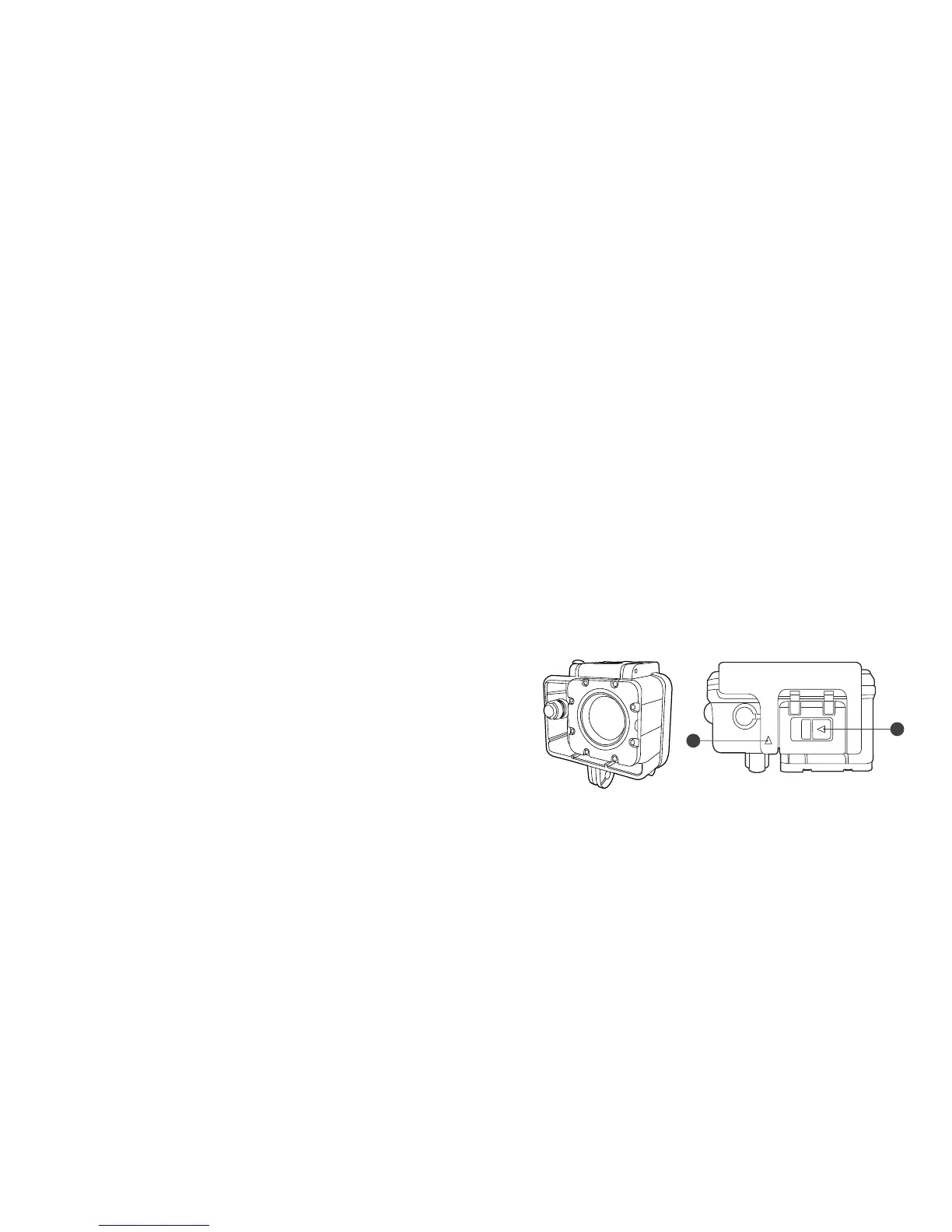
Using the waterproof case
1. Open the waterproof case by releasing the clip on the top
ofthecase,followthearrowsonthecliptounlock;slide
the top tab (i) left and pull the vertical arrow (ii) upwards
whilst holding the horizontal tab in the unlocked position.
2. Insert the camera correctly so that the case closes easily
and provides a tight seal.
3. Snap the top clip shut to ensure the case is waterproof.
4. To operate the camera, use the waterproof case’s external
spring buttons.
(i)
(ii)
3534



 To Next Page