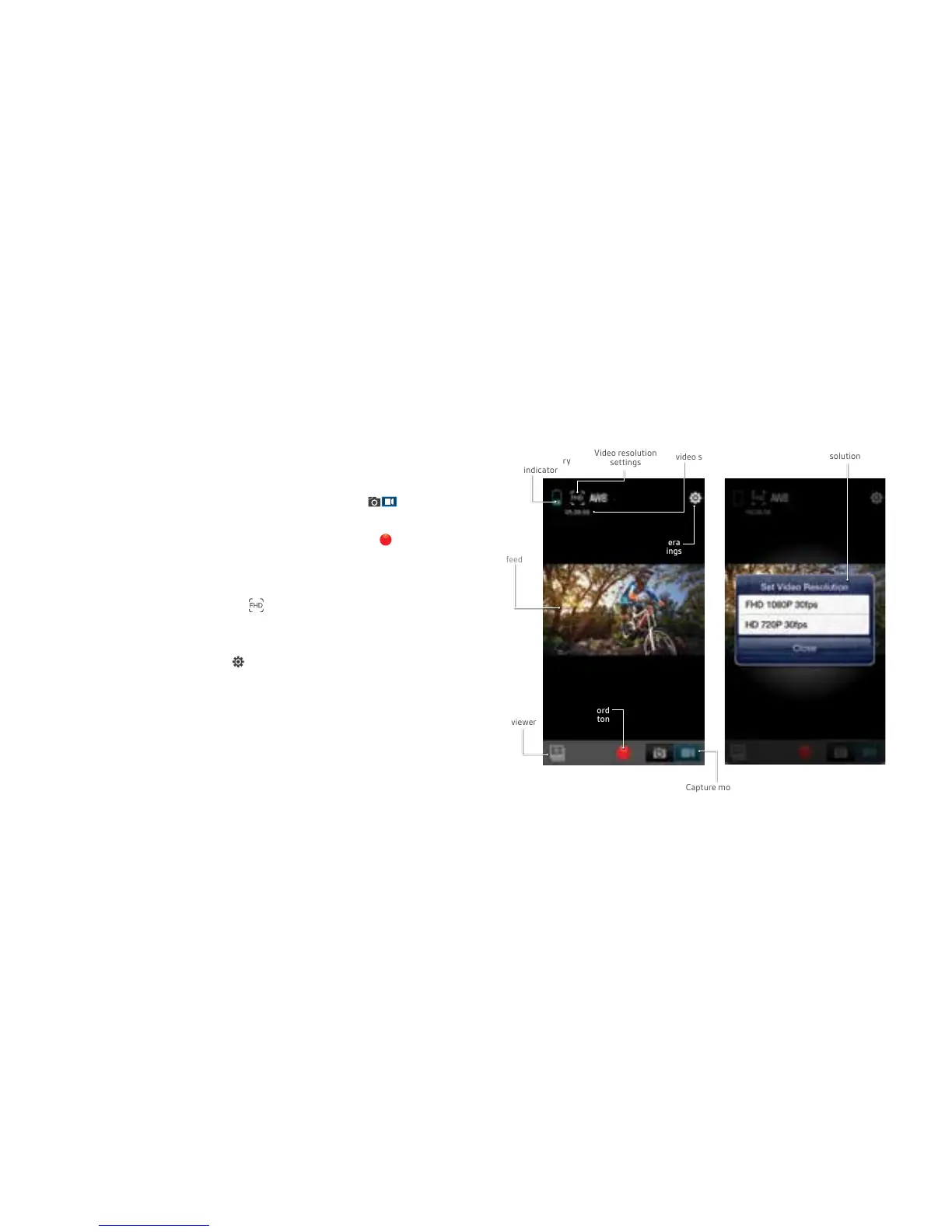
Figure 1:
App home screen
+ video mode
Figure 2:
Videoresolution
settings
Camera battery
indicator
Remaining
video storage
Videoresolutionsettings
Record
Button
Capture mode
(automatically
set to video)
File
viewer
Camera
settings
Live
video
feed
Videoresolution
settings
Using Wi-Fi for Video mode (Figure 1/2)
1. Uponopeningtheapplication,Videomodeshouldbe
automatically selected in the capture mode slider
2. Use the live feed to view your shot.
3. Press the record button to start and stop recording
4. Videotimeremaining(basedonremainingstorage)
is shown in the top left corner.
• To change the resolution press and you will receive
a pop-up menu to change the resolution (Figure 2).
Whitebalanceandfrequencysettingscanbechanged
by pressing Camera settings in Figure 1 and selecting
the relevant headings in Figure 5
2524



 To Next Page