28 29
App download
Using Wi-Fi to download les
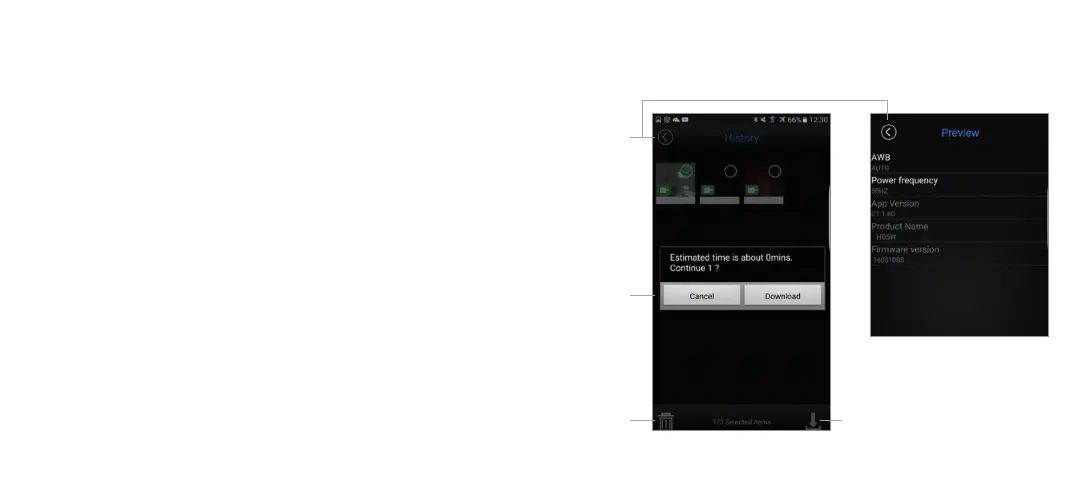
1. Toselectlestodownload,pressandholdonanimageorvideountilatick
is applied to the icon.
2. Taponeachleyouwishtodownloadaddingorremovingticks.
3. Onceyouhavechosenyourles,pressthedownloadiconinthebottom
rightcornertodownloadtheles.Apop-upwillappeartoadviseyouofthe
download progress.
4. On the app home screen (Figure 1), press the gallery icon to view the
downloadedles.Todownloadthemtoyoursmartdevice’snativele
viewer, follow the same download steps as per the above.
Using Wi-Fi to delete les
1. Toselectlestodownload,pressandholdonanimageorvideountilatick
is applied to the icon.
2. Taponeachadditionalleyouwishtodelete.
3. Onceyouhavechosenyourles,pressthetrashiconinthebottomleft
cornertodeletethelesfromthecamera’smicroSDcard.
Return
Conrm
selection
Delete Download
UsingWi-Fiforleplayback App settings



 To Next Page