32 33
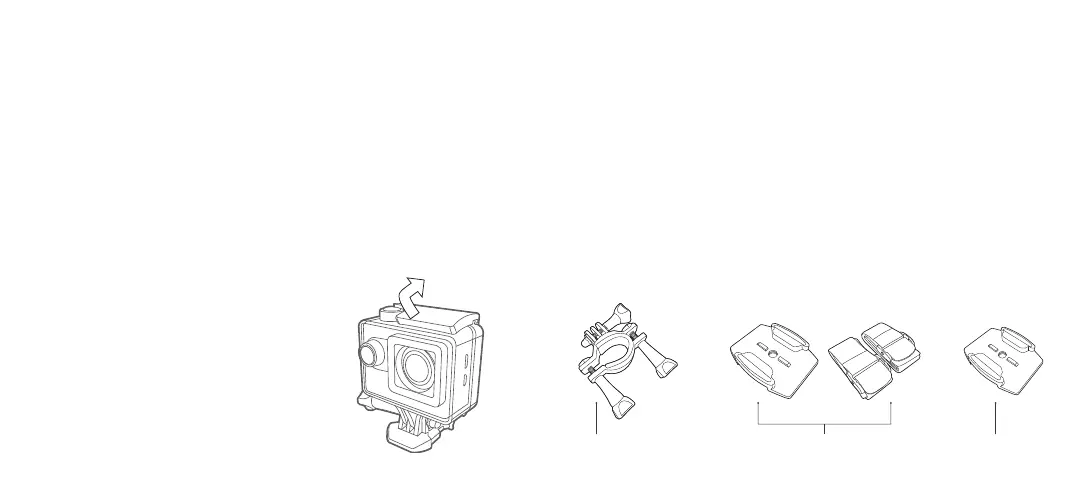
Waterproof case
The Explore 1080 Action Camera includes a case that is waterproof up to
30 metres. When using the camera in a wet environment, always use the
waterproof case. It is recommended that the case be used at all times for
protection reasons.
Using the waterproof case
1. Open the waterproof case by lifting the front of the case catch upwards.
2. Insert the camera correctly so that the case closes easily and provides
a tight seal.
3. Snap the top clip shut to ensure the case is waterproof.
4. To operate the camera, use the waterproof case’s external spring buttons.
Mount accessories
In order to use the camera for various outdoor activities, we have provided
threedierentmounts:
•Mount(A)isusedtoxthecameratothehandlebarsontoabicycle
• Mount Assembly (B) uses an adhesive mount to hold the camera and the
providedstrapstoxittoaventedhelmet
•AdhesiveMounts(C)areusedtomountthecameratoat/curved,
smooth surfaces
A CB



 To Next Page