35
EN
3. Setting of working hours and temperature
After the desired function is selected, it shall be conrmed by pressing the ENTER key to
enter the setting of working hours. The hour bit will ash. Press the selection key
to set the hour bit. After it is conrmed by pressing the ENTER key, the minute bit will
ash, and then press the selection key to set the minute bit. After it is conrmed by
pressing the ENTER key, the temperature bit will ash, and then press the selection key to
set the working temperature for “Top heater pipe” and “Bottom heater pipe”.
After the setting of working temperature is nished, press the ENTER key to start working.
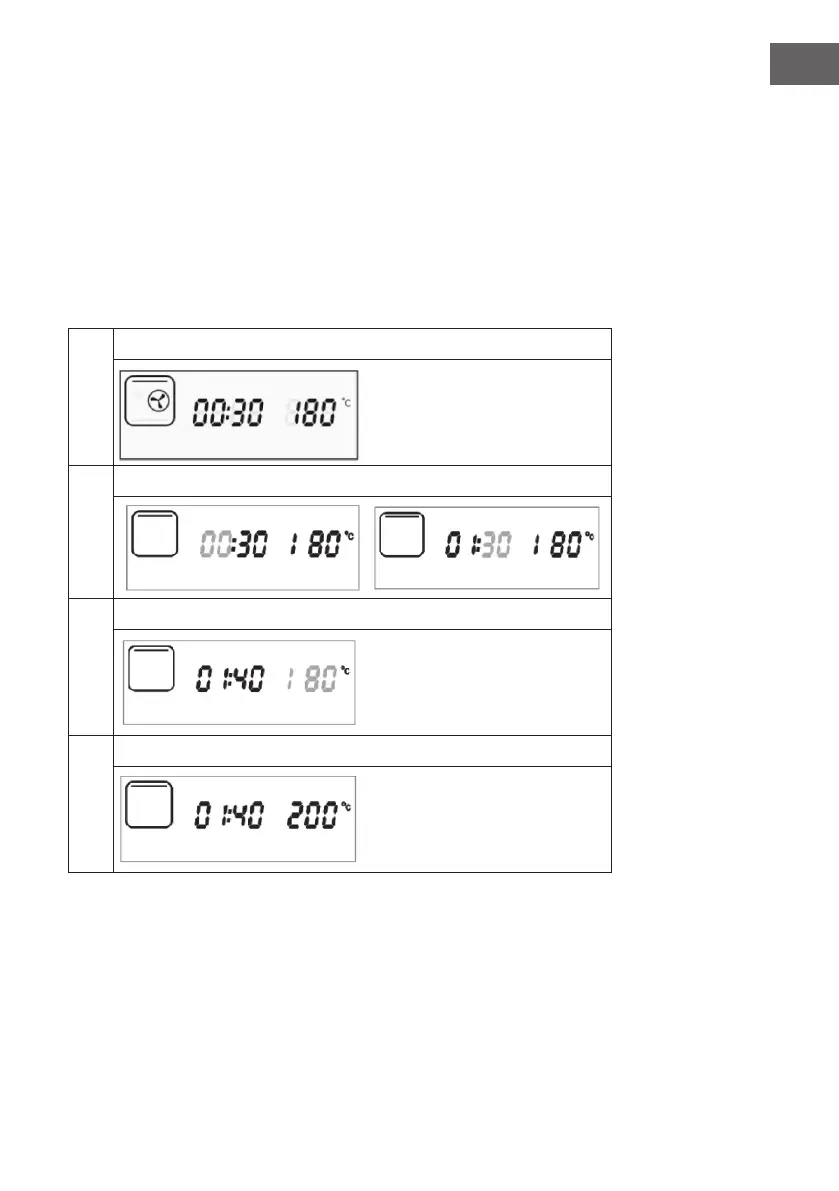
Example: Setting of top heater pipe working mode
1
Select function:
2
Setting of working hours:
3
Setting of working hours and temperature, top heater pipe icon will ash.
4
Start work:



 To Next Page