36
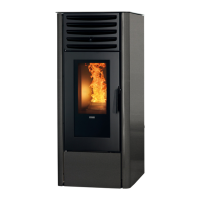
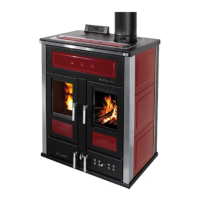
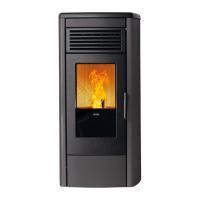
AURA 80, CLASS 90, AURA 120, REA 100 PELLET-BURNING STOVE
- Fill the pellet tank; for the first ever ignition, to avoid wasting the time required for filling the entire screw feed channel
(this should be done every time the appliance runs out of pellets), we recommend you follow the instructions in
the “MENU 06 – INITIAL LOAD”;
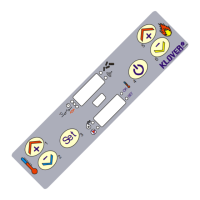
- Switch on the appliance using the “ON/OFF” key on the remote control (key 3) or on the support panel (key 1). See
the instructions below. Warning: before switching on the device make sure that the brazier is clean and there
are no pellets inside it; otherwise it is necessary to empty and/or clean the brazier.
We recommend that you use high quality pellets so as not to impair the operation of the appliance. Damage
caused by poor-quality pellets shall not be covered by the warranty.
Do not pour pellets manually into the brazier.
Ignition cycle
Holding down key 3 (On/Off) on the remote control or key 1 (On/Off) on the support panel, will switch on the appliance.
The ignition cycle can last 20/25 minutes max. and is divided into five steps:
Pre-loading of pellets into the brazier (continuous loading of pellets) to sufficiently fill the
brazier to allow for ignition
Wait before flame ignition after pre-loading (pellet loading suspended)
FLAME STAND-BY /
PELLET LOADING
Loading of pellets into brazier (intermittent pellet loading)
Flame stabilisation, allowing uniform ignition of all pellets unburnt during the previous
stages.
At the end of the ignition cycle, the appliance switches to working mode at the power level set in “SET POWER”.
If the ignition fails, the display will show the alarm “IGNITION FAILED”.
The alarm may also occur if the brazier is dirty; in this case, clean the brazier and re-start.
Warning: during the ignition phase and normal operation of the appliance, maintain the necessary safety
distance and do not stand in front of it.
Working mode
During the normal working phase, by pressing key 1 (Increase), you can set the “SET ROOM” (room temperature).
When this temperature is reached, the appliance enters economy mode operation “MODULATION”, as long as all
connected thermostats and temperature sensors are satisfied (See also “Connection to the room thermostat or an
additional room temperature sensor”).
- With “Menu 01-STAND-BY” enabled, the appliance will automatically switch off, switching to “OK ST-BY” status after
the time set in Pr44 (factory setting: 10 minutes); once the switching off phase is complete, the appliance will
automatically switch back on if the room temperature falls below the temperature differential set in Pr43 (factory setting:
1°C) i.e. Room temperature < (“SET ROOM” – Pr43).
- With “Menu 01-STAND-BY” disabled, the appliance will switch to MODULATION mode once the set room temperature
has been reached and it will not automatically switch off.
If the above condition occurs when the switch-off cycle is not yet completed, please wait until the cycle is complete.
The cleaning cycle of the brazier (displayed under “BRAZIER CLEANING”) is done at predetermined time intervals for
an established period (see “PCB parameters”).


 To Next Page