13
CS.A80.IST-1 / Rev 1.0 ENGLISH
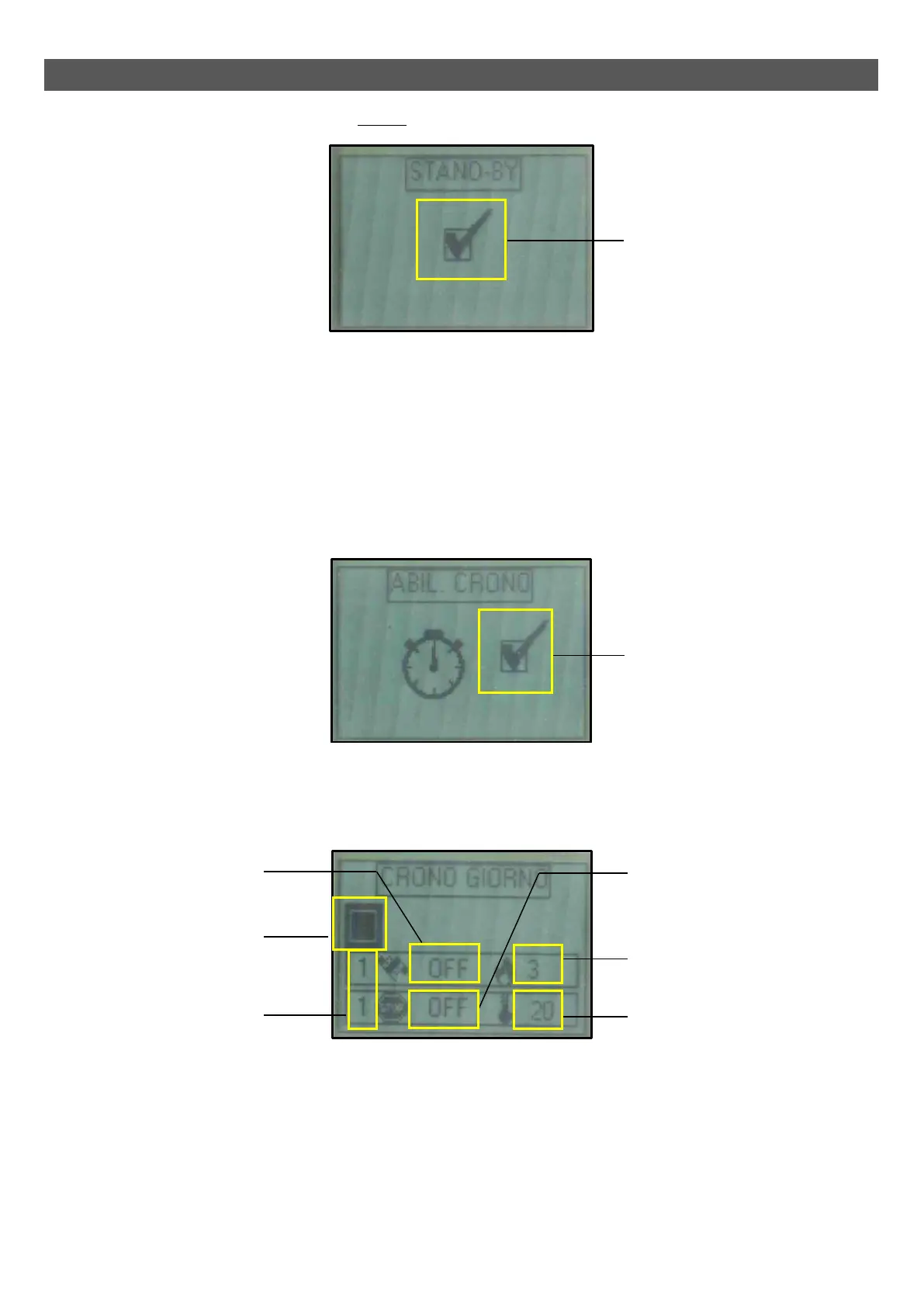
The image below shows the screen when STAND-BY is enabled:
MENU 02 – TIMER
Allows you to access the different timer programmes (daily, weekly and weekend).
In order to avoid any undesired switching on/off operations, only activate and use a single programme at a time (daily, weekly or weekend programme).
• Sub-menu 02 – 01 – Enable timer
Allows you to globally enable and disable all timer functions. For the correct operation it is recommended to enable it using keys 1 or 2 (Increase and
Decrease) when at least one on/off programme (daily, weekly or weekend programme) is activated.
The image below shows the screen when the Timer is enabled:
• Sub-menu 02 – 02 – Daily timer
Allows you to enable, disable and set the daily timer functions.
The daily timer has two operating time slots can be set according to the following table (it is not essential to use both at the same time):
- Keys 1 and 2 (Increase and Decrease) allow you to modify the selected value.
- Key 4 (Set) selects the subsequent value.
- Key 5 (Esc) selects the previous value.
- Key 3 (ON/OFF) takes you back to the previous menu item.
Number of selected time slot
(2 time slots available)
Enable field
(This should be enabled if at least
one time slot is active)
POWER SET
(Operating power during the
selected time slot)
SET ROOM
(Room temperature setting during
the selected time slot)
Switch off time
(OFF tells the clock to ignore the
command)
Enable field
Switch on time
(OFF tells the clock to ignore
the command)
Enable field



 To Next Page