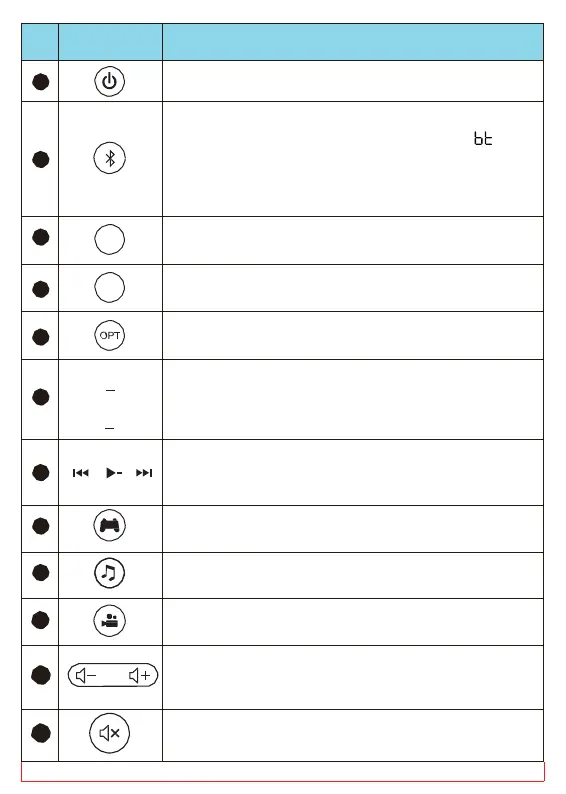
Button
1
on/ Power off
2
or connect to the last
d device, if no paired record, the “ ”
n the LED screen flashes.
g press the button for 2s, it will disconnect
d enter pairing mode.
3
HDMI
HDMI mode.
4
AUX
AUX mode.
5
mode
6
BASS
BASS
adjust the bass up or down (Press BASS
adjust from 0 to 10, with memory function,
default “5” after restoring factory settings.)
7
press to skip forward or back a track
press to play or pause a track
8
gaming mode.
9
Switch to the music mode.
10
Switch to the movie mode.
11
increase/decrease the volume
(Maximum volume:30, Minimum:
0) (With an
, the volume can be synced)
12
Press to mute/unmute the volume



 To Next Page