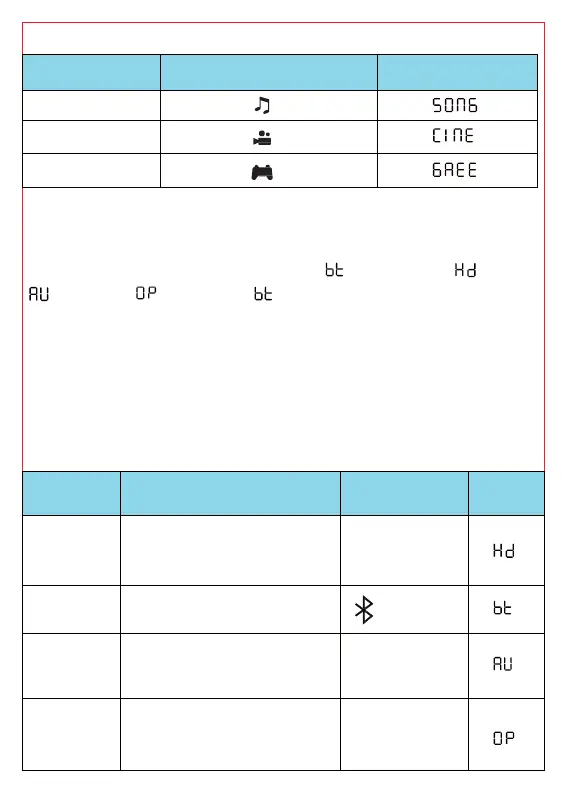
the sound effect
Tone quality Remote contro
Display
Music
Movie
Game
t the audio source
:
The audio source switching order is:
-
(AUX IN)- (OPTICAL)- , and the default setting
mode.
When powered on, the volume of each mode has a
and it does not interfere with each other.
When the audio source switches to other mode (not BT),
d- bar will disconnect the current connection, when switch
BT, it will connect back to the last paired device.
Use
l Button
Connection with
cable, e.g., television set,
DVD player
HDMI
Radio connection, e.g.,
smartphone
Connection with 3.5mm
stereo jack cable, e.g.
player, telephone
AUX
Connection with OPTICAL
cable, e.g., digital receiver,
DVD player
OPT



 To Next Page