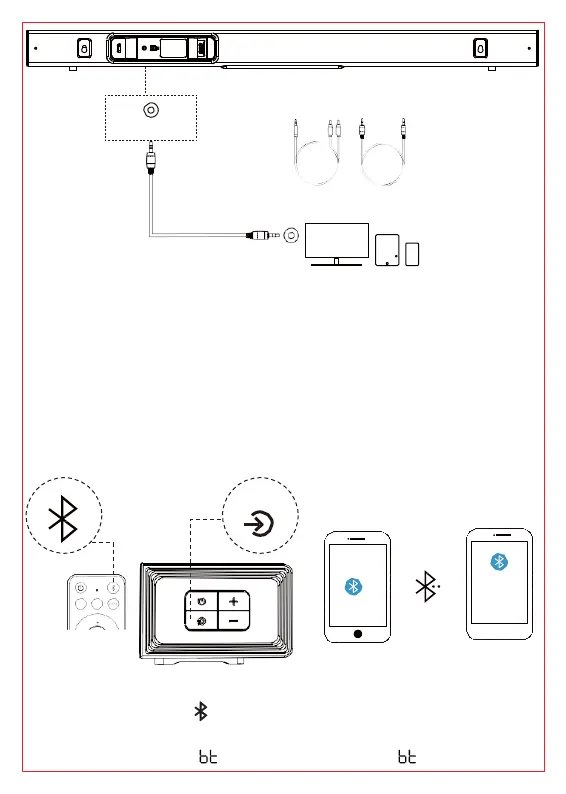
Connect with your Bluetooth device
1.Make sure your device supports the Bluetooth function.
2.The operational range between the Soundbar main unit and your
Bluetooth device is approximately 32.8ft (10 meters) (without any
obstacle between the Bluetooth device and Soundbar main unit).
3.Only one Bluetooth device can be paired at a time.
4.There is NO password required.
The first connection
1.Press the Bluetooth “ ”button on the remote control to enter the “BT
PAIRING” mode. Or one to press the “Source” button on the control
panel and then select “ ”. LED display shows “ ” flashing rapidly.
SOURCE
KMOUK
KM-HSB004
• ••
HDMI AUX
BASS
TV
AUX (LINE OUT)
AUX (LINE IN)
AUX (LINE IN)
AUX (Supplied)
AUX IN OPTICAL HDMI(ARC)



 To Next Page