Gate 10
Edit Mode 11
To enter the Edit mode hold down a Preset Button and press the Circle encoder button.
11
Editing Parameters of a Saved Chord Preset 11
Editing Individual Notes 11
Preferences 11
Circle Transpose 11
Midi Channel 11
Midi in Mode 12
1.Chord Control Input (default) 12
2. Midi Thru Only 12
Button Hold 12
Backup and Restore 12
1.Back Up 12
2. Restore 12
Knob Edit Activation 13
1.Movement 13
2.Matching 13
Cheat Sheet 14
Introduction
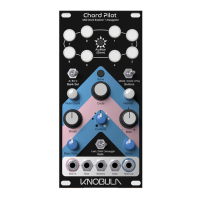
Chord Pilot is a midi controller for discovering and generating chords, it is aimed at all types
of music creators working at any level of musicianship or technical ability. It is designed to
provide a novel way of playing music and a convenient way of reproducing chords on
demand.
The fundamental principle behind Chord Pilot is that of an imaginary pair of hands that can
be manipulated into various finger positions which are then used to play notes on a virtual
keyboard. The end result is stacks of unusual chords and arpeggios that are otherwise
impossible to describe in traditional chord notation and even harder to play with human
hands.
You won’t find any controls for key signature, major Dorian 7th diminished or inversions. This
is about experimentation, discovery and happy accidents. So don’t be put off if some of the
Pilots chords are a bit discordant or ‘jazzy’ at first, because as you get to know the device
you’ll start to discover sweet spots that resonate with your own musical tastes, or you might
be inspired to try new musical directions all together. Whatever you do come up with can be
stored into one of 192 different chord presets which can be recalled quickly and conveniently


 To Next Page