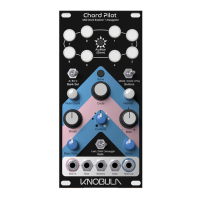
Knobs
All knob settings are saved as part of a preset except for the Strum setting which is always
live.
Interval
Sets the distance between each finger in the chord. Lower values around 1,2 or 3 produce
more manageable results.
Bias
Changes how evenly distributed the note intervals are across the chord. Turning Bias to the
right spreads fingers apart more towards the top of the chord and turning to the left spreads
them apart more towards the lower end. With the control in the centre the notes are all
evenly spaced apart according to the interval setting.
Note Count
Sets the number of notes in a chord. 3 or 4 is a good number to start with. Higher numbers,
up to 8 notes, can be achieved for more epic sounds but at a higher risk of sounding
discordant.
Bass Note
Steals a note from your chord and places it in the octave below. Turn the knob to select
which note is chosen to play in the bass octave. With the knob turned fully to the left it has
no effect and all notes are left where they were.
Modal
Shifts the whole chord shape up or down the virtual keyboard. This is not the same as
transposing the pitch of the chord because the pitch relationships between keys on our
‘keyboard’ are first modified with a ‘scale’ and are not necessarily equal intervals,
furthermore, notes can also wrap around to the octave as we shift, keeping notes bunched
together. Modal is also available to access live on the buttons using the button switch.


 To Next Page