Circle
Transposes the chord up or down by a fifth or by any other customisable amount. Circle
variations are accessible live using the preset buttons when the button selector switch is set
to circle.
Conform
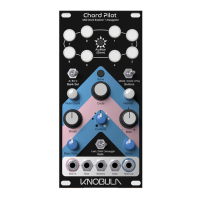
Conform takes the chord shape you’ve created and
conforms it to a ‘scale’ of notes. Turn the control to the
right for more pleasant sounding major scales, turn to
the left for darker, more minor sounding notes, and turn
towards the centre to make notes become
progressively straighter and harmonious. Forcing notes
to play within a restricted scale may sometimes incur
duplicated notes which will be disregarded by Chord
Pilot’s algorithm, or notes may be pushed an octave up
or down as the algorithm automatically inverts a chord.
This will depend on the complexity of the generated
chord and the scale it is conformed to.
Strum
Chord Pilot can strum chords like a harp or a guitar, use this control to set the speed of the
function. The strum mode is set by the Gate switch. When the Gate switch is set to Orbit this
control sets the number of chords in the chord progression, when set to Arpeggio the strum
control acts as a speed control for the internal clock. If an external gate or clock is connected
then the strum control acts as a selector switch for Arpeggio types.
up & down, up only, down only,
random1, random2,
random3,random4.


 To Next Page