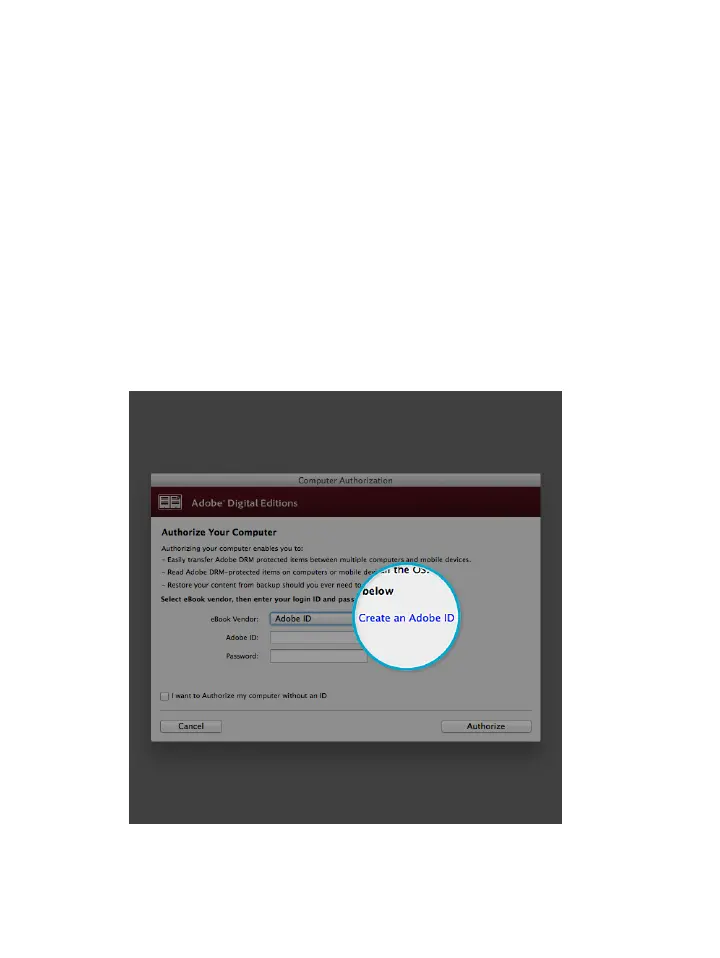
2. Click Authorize Computer.
3. Click Create an Adobe ID in the Authorization
window.
Notes:
• Make sure the checkbox beside I want to Authorize
my computer without an ID is cleared, and not
selected.
• Beside the eBook Vendor dropdown menu, make
sure Adobe ID is selected.



 To Next Page