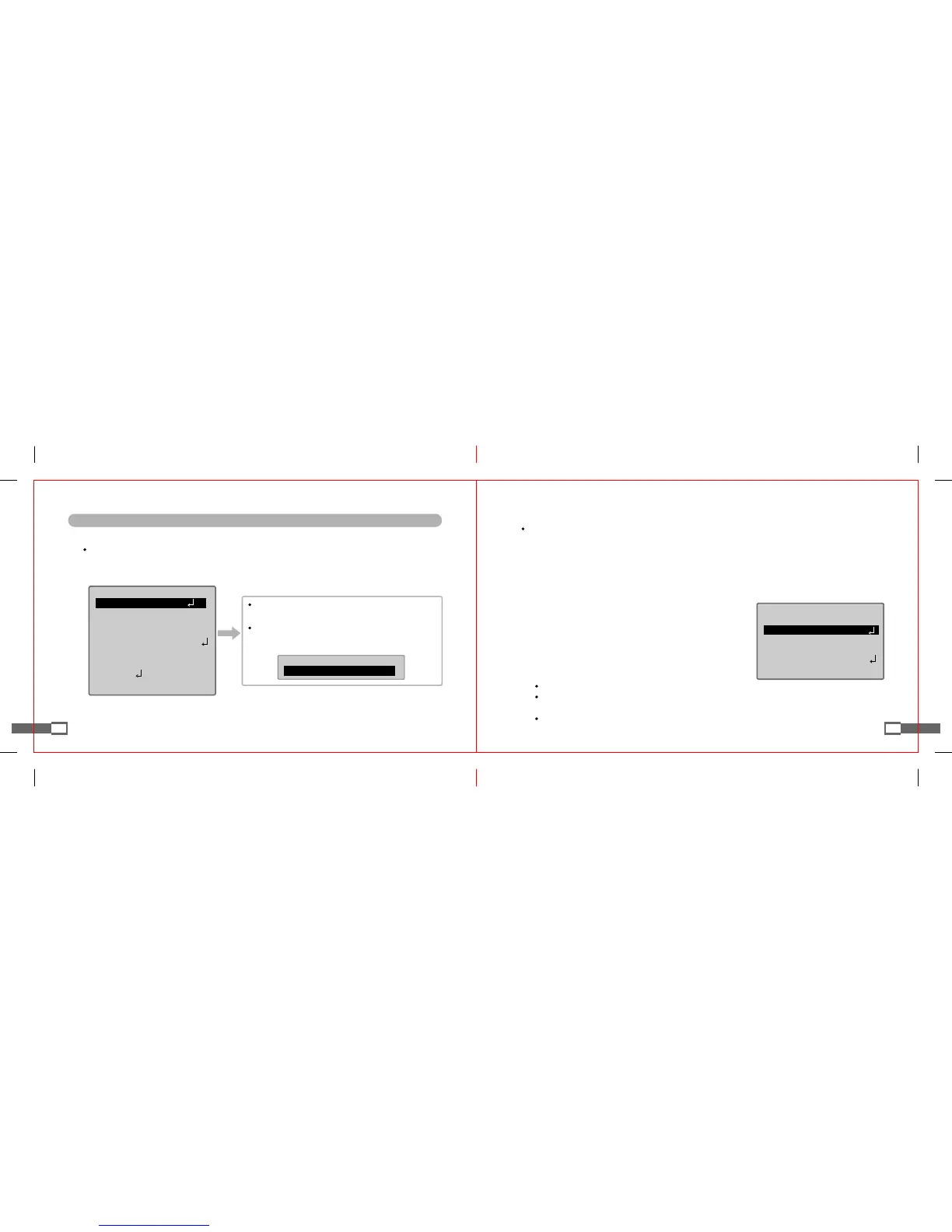
How to Set OSD MENU SET UP Functions
■
Lens Selection
Functions showing the brightness of screen.
1. If SET UP screen is displayed, make an arrow point to "LENS" item using UP or DOWN button.
2. Press LEFT or RIGHT button to select the type of lens to be used.
◎
MANUAL : Manually Lens Selection
3. Press SETUP menu to return to the previous menu.
19
◎
DC / VIDEO : Automatic Iris Lens Selection
SETUP
DC▶LENS
SHUTTER ---
WHITEBAL. ATW
BACKLIGHT OFF
AGC MIDDLE
DNR LOW
SENS-UP OFF
SPECIAL
EXIT
LENS
▶BRIGHTNESSl--I--I25
If automatic iris lens is attached, the lens selection switch
in the back side of the product should be set at DC or VIDEO.
If DC lens is selected, the brightness of screen can be adjusted
within the range from 1 to 70. (Make a proper adjustment for
optimal screen brightness).
20
◎
FLK : When FLICKER occurs due to the influence of lightings around the product or the discordance
in frequency, select "FLK" mode.
◎
ESC : Can automatically control shutter speed. Selecting "ESC" automatically controls shutter speed
according to the brightness of screen.
◎
MANUAL : Can manually control shutter speed.
SETUP
MANUALLENS
▶SHUTTER ESC
WHITEBAL. ATW
BACKLIGHT OFF
AGC MIDDLE
DNR LOW
[Notes]
If DC/VIDEO lens is selected, shutter speed is fixed at 1/60(1/50) second.
If shutter is set as "ESC" in internal synchronization method and camera directly faces fluorescent lamp,
image may become unstable. Select installation place carefully.
If SHUTTER menu is on MANUAL mode, SENS UP function does not work.
■
Adjustment of Shutter Mode and Speed
Selects automatic or manual control of shutter.
1. If SET UP menu is displayed, make an arrow point to "SHUTTER" item using UP or DOWN button.
2. Press LEFT or RIGHT button to select the type of lens to be used.
3. Set "SHUTTER" as "MANUAL" and press SETUP button
to manually control shutter. (Shutter speed can be adjusted
within the range from 1/60(1/50) to 1/120,000 second).
4. Press SETUP button after finishing setup.


 To Next Page