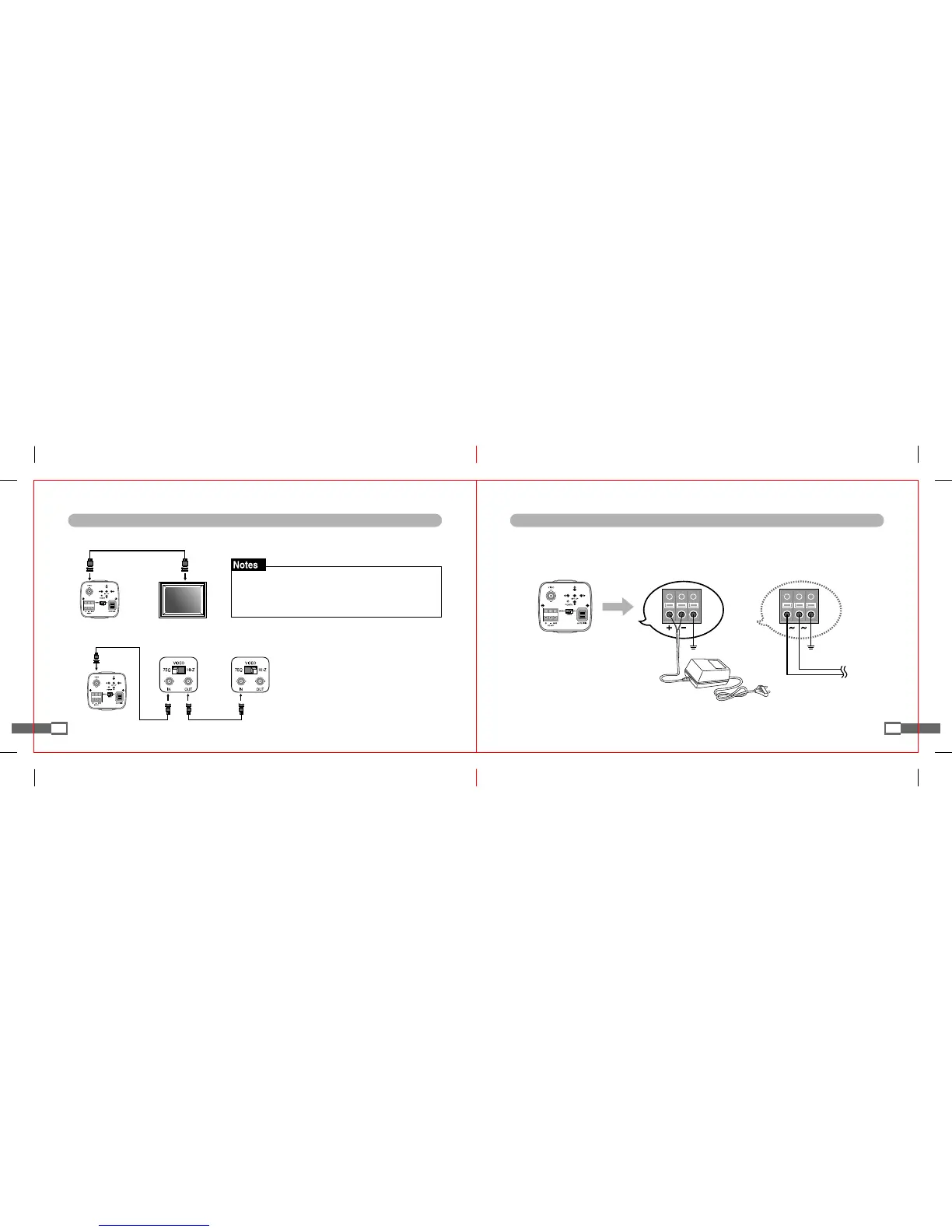
Monitor Connection
■
For intermediate video equipment, select 75
Ω
or Hi-Z as follows.
■
Connect the video output terminal of camera to the input terminal of monitor.
13
Connection methods vary according to the equipment used,
so please refer to the user's manual of such equipment.
Be sure to connect when the equipment is turned off.
Camera
Camera
Monitor
Intermediate Video Equipment End Monitor
Power Connection
■
Be sure to check the power standard of the product before power connection.
- Connect the constant voltage adaptor for DC (DC 12V/300mA) only.
※(
Note) Connect adaptor after checking its polarity.
14
GND GND
※ OPTION (DC 12V or AC 24V)
DC 12V
DC 12V / AC 24V


 To Next Page