26_www.kocom.com Security Home Auto System_27
Release of Security Mode
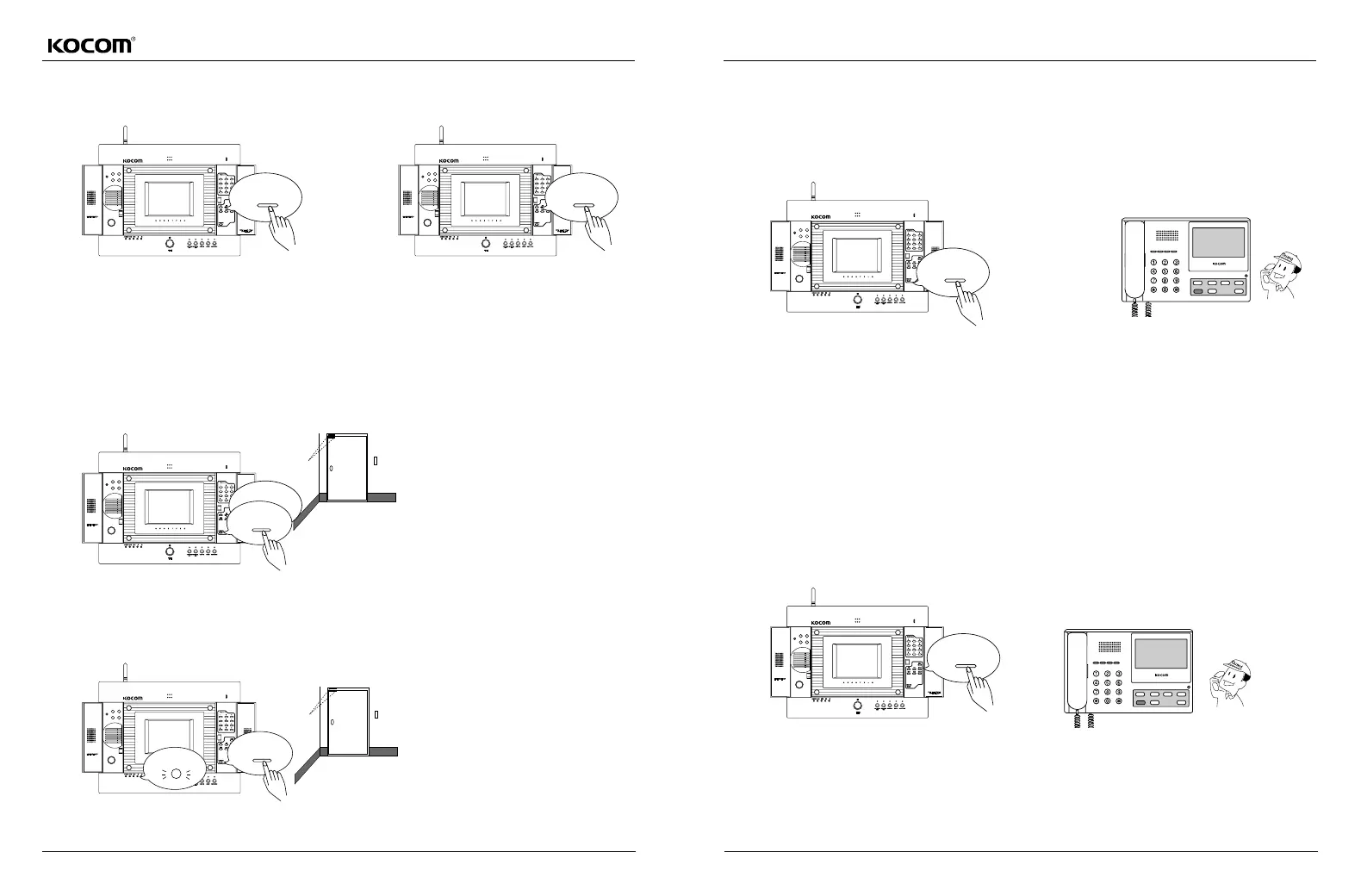
Press the security button now being set to turn off security
LED (release of security mode).
(To release the security mode, the door with sensor should be
being closed.)
When security alarming sound is heard, close the door
and press the security 1or security 2button, and
concerned LED will be turned off and security mode is
released.
Setting the Security Mode While Being Out
Just before going out, press the Absence
button, and Absence LED will be turned on.
.After pressing the "Absence" and security
button in order, user should go out from the house
through the door with security sensor within 60
seconds. At this time, the door with security
sensor should be closed.
If the door with security sensor is opened after 60
seconds from users pressing the Absenceand
"securitybutton in order, security alarming sound
is heard after 30 seconds from the time when the
door opens.
Absence LED flickers for 60 seconds after user
presses the "Absence" and "security" button. User
should go out through the Gate within 60
seconds (considering the time required in users
pressing the outdoorand securitybutton and
going out, standby time is set at 60 seconds).
When returning to home and opening the door
(security LED is turned on), user should press the
stop/reset button within 30 seconds to release the
security and Absence mode. At this time, the door
with security sensor should be closed.
If user fails to release the Absence and security
mode within 30 seconds, alarming sound is sent to
guard for emergency call
(the equipment recognizes that security sensor is
working).
Releasing the Security Mode When returning Home
Setting the Absence Mode and Operation in Emergencies
Setting the Absence Mode and Operation in Emergencies
When user goes out from the house, press the Absencebutton
(Absence LED is turned on).
When emergency occurs, alarming sound is sent to guard.
At guard, house number that sends
emergency alarming sound appears at
displaying LCD window with emergency
sign.
Stopping the Alarming Sound
While alarming sound is heard, press the stopbutton to turn off the alarming sound.
Pressing the "reset" button, alarming sound is turned off and not sent to guard.
Sensor
Sensor
Absence
security
Stop
S 1, S 2
security
Absence
Absence
S 1, S 2
emergency alarming sound
Alarming sound



 To Next Page